 By
Avinash Vagh
CadenceViz Review: Is This Mac Music Visualizer Worth It in 2026?
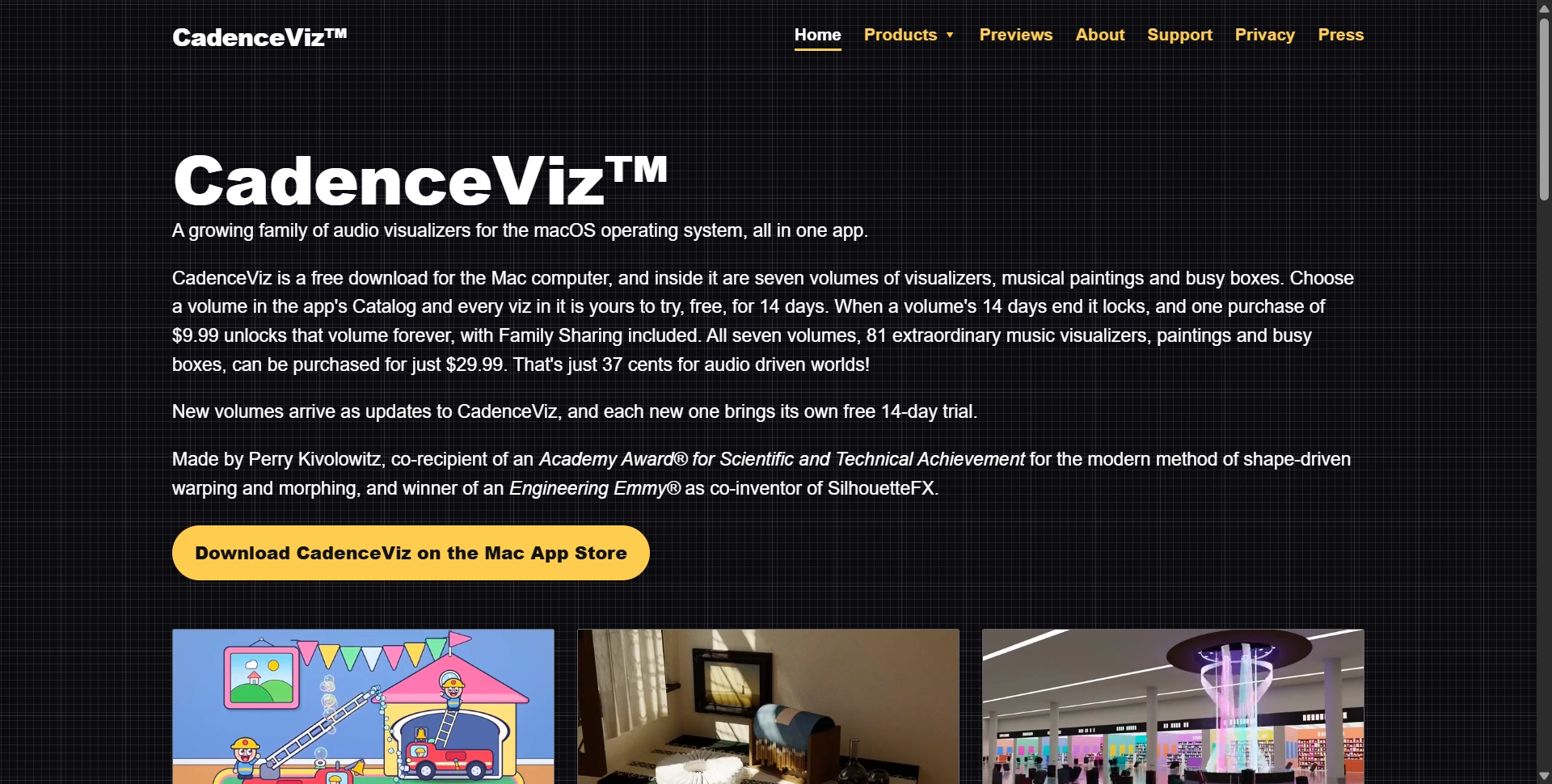
CadenceViz is a free Mac App Store download from PSK Intellect that bundles seven volumes of audio-reactive visualizers, musical paintings and toddler busy boxes into one macOS app. Each volume gets a 14-day free trial, then costs $9.99 to unlock forever, or $29.99 for all seven volumes and 81 visualizers. In this CadenceViz review, we cover what each volume contains, how it reacts to sound, and where it falls short.
Most music visualizers still draw bars, waveforms or blurred color loops. CadenceViz takes a different route: rendered scenes, from a ray traced Art Deco train station to Highland cows at a glamping site, that move with whatever audio the Mac plays. That makes it closer to living wallpaper than a classic visualizer.
CadenceViz at a glance
Detail | CadenceViz (2026) |
|---|---|
Developer | PSK Intellect, LLC (Mobile, Alabama) |
Creator | Perry Kivolowitz |
Platform | macOS (Mac App Store) |
Download price | Free |
Free trial | 14 days per volume |
Single volume | $9.99, one-time, Family Sharing included |
All seven volumes | $29.99 for 81 visualizers, paintings and busy boxes |
Audio source | Whatever sound the Mac is playing |
Hardware note | Aquarium (Volume 1) needs Apple silicon M3 or later |
Current revision | 1.0.3, 6 October 2026 |
What is CadenceViz?
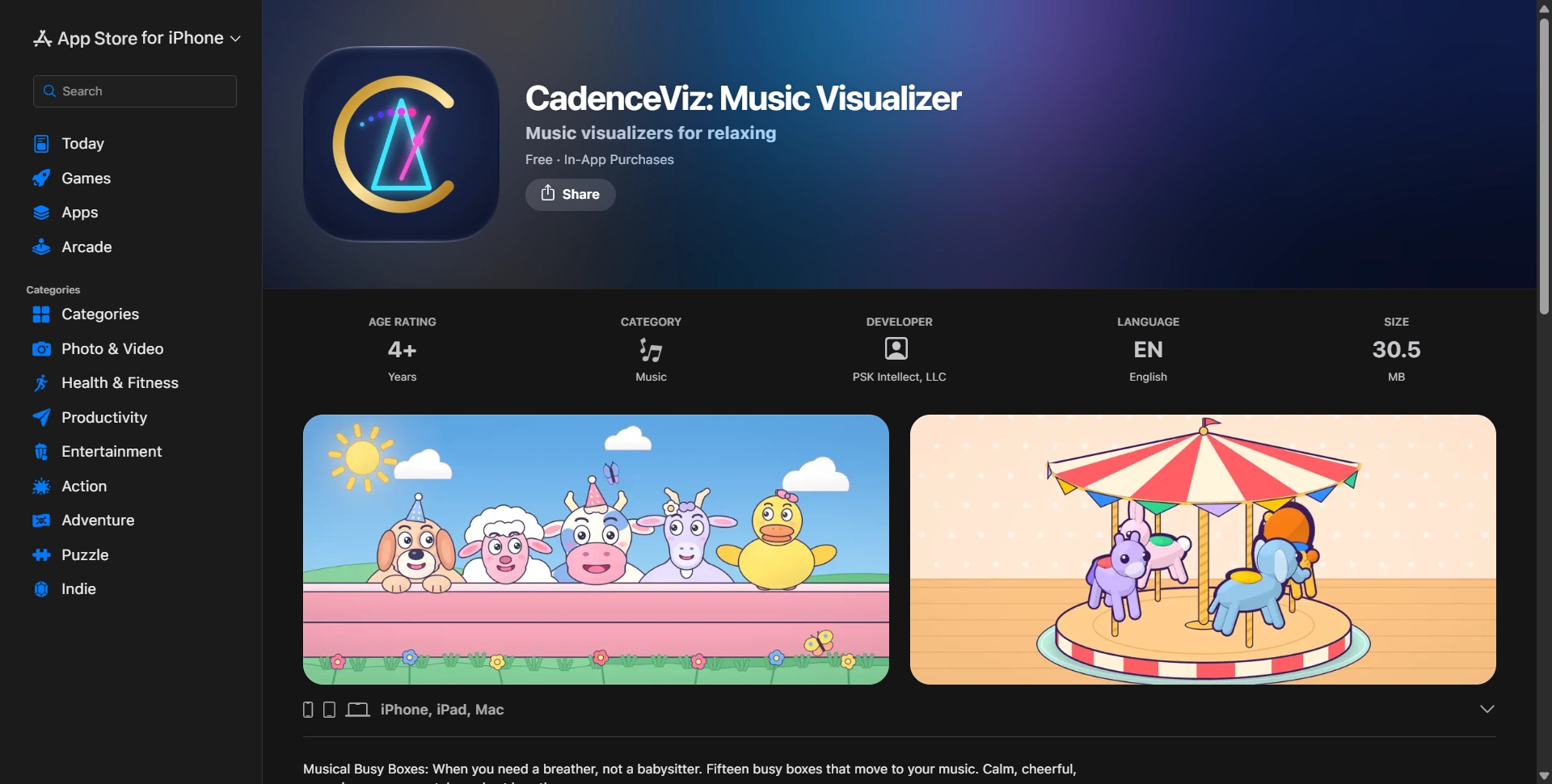
CadenceViz is a macOS audio visualizer app that renders 3D scenes, particle systems and painterly worlds which respond in real time to any sound the Mac plays. It is built by Perry Kivolowitz, a co-recipient of an Academy Award for Scientific and Technical Achievement for shape-driven warping and morphing, and an Engineering Emmy winner as co-inventor of SilhouetteFX.
The app is organized as a Catalog of volumes. You pick a volume, and every visualizer inside it unlocks for a 14-day trial. New volumes arrive as updates to the same app, each with its own trial, so the library grows without a new download.
The maker's background matters here because it explains the rendering choices. Perry Kivolowitz's career in digital imaging started in digital imaging on the Commodore Amiga in 1985 with ASDG, whose Elastic Reality product became the company's name. He also received an Emmy Certificate for work on the pilot episode of Babylon 5, and an Engineering Emmy in 2019 for SilhouetteFX, which is now owned by Boris FX. He later taught computer graphics at the University of Wisconsin-Madison and chaired the Computer Science department at Carthage College.
What's inside each CadenceViz volume?
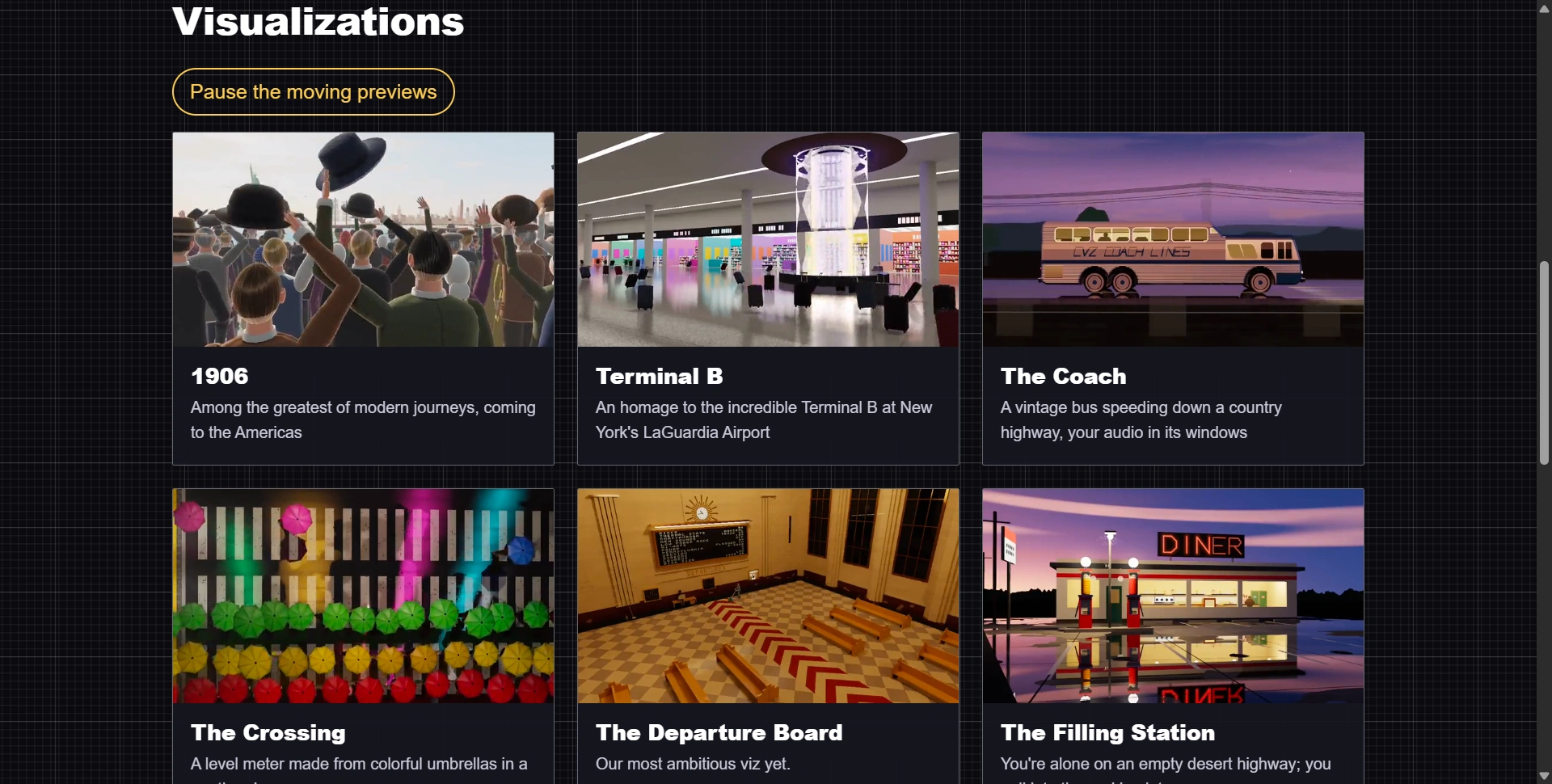
CadenceViz ships seven volumes, each with a distinct theme: Volume 1 holds 15 classic and modern visualizers, Volumes 2 to 5 hold peaceful places, particle worlds, scenes and ray traced journeys, Volume 6 holds eleven musical paintings, and Volume 7 holds ten toddler busy boxes. Every volume reacts to the same live audio.
Volume | Name | What it contains |
|---|---|---|
1 | 15 visualizers from stroke and blur styles to modern work, plus a bonus, Dance of the Clones; includes the ray traced Aquarium | |
2 | Peaceful places: dancing Highland cows, sea turtles on a moonlit beach, starling murmurations, flower fields with butterflies | |
3 | Worlds of millions of moving things: snow on a 1950s Brooklyn street, plates smashed on a Santorini terrace, a waterfall, a knot of fire | |
4 | Sheep and dogs in walled meadows, hot-air balloons at dawn, a city at nightfall, an orchestra, a potter's wheel, a 1900s sleeper car | |
5 | A ray traced Art Deco train station at night, eight stealth fighters, a rainy crosswalk of umbrellas, a desert diner at dawn | |
6 | Eleven living paintings after the styles of famous painters: quiet rooms, gardens and streets | |
7 | Ten toddler busy boxes: diggers, fire engines, rattles and latches, every part moved by music |
Each volume has what PSK Intellect calls a "halo effect" visual. In Volume 1 that is Aquarium, a real-time ray traced tank of fish that move to the music. It requires an Apple silicon M3 chip or later.
Two volumes stand out for specific use cases. Musical Paintings is built as a calm backdrop for a second screen during work. Musical Busy Boxes is designed for toddlers: soft colors, moving parts large enough to follow from across a room, and nothing on screen flashes. That last point is a practical detail for parents choosing screen content for young children.
Musical Paintings is also the direction PSK Intellect is building toward next, with upcoming Musical Paintings scenes such as "Festival Time in the City of Edo" (after Hiroshige's Suidō Bridge) and "The Pool is Closed," where water caustics carry the music.
How does CadenceViz react to music?
CadenceViz listens to whatever sound the Mac is playing and drives its scenes with a beat tracking stack built from published research models. The app combines BeatNet, a live beat tracker from ISMIR 2021, with the Beat This neural model from Johannes Kepler University Linz, run locally through Core ML, plus an older tracker for the opening seconds of each track.
This detail separates CadenceViz from visualizers that react only to volume. The beat pipeline uses:
BeatNet by Mojtaba Heydari, Frank Cwitkowitz and Zhiyao Duan (ISMIR 2021), Creative Commons Attribution 4.0.
Beat This, a neural beat tracker from the Institute of Computational Perception at JKU Linz (2024), shipped as a Core ML model.
BeatIt, the analysis library that runs that model, carried with PSK Intellect's own buffer fixes.
Beat and Tempo Tracking (BTT) by Michael Krzyzaniak (2021), which handles the start of each track before the neural model has enough audio.
On the graphics side, the app uses Apple's metal-cpp bindings for Metal, the Arm ASTC Encoder for stored images, and Jolt Physics for rigid-body motion in scenes that topple, bounce and shatter. Because the analysis runs on device, the app reads audio from any source: Apple Music, a browser tab or a video call.
Two original songs ship inside the app, "The Sea" and "Angel Made Flesh," which play when you press p. The music was generated by Perry Kivolowitz with Suno on a paid plan, with his own lyrics, so the app can be tried with no music source open.

How much does CadenceViz cost?
CadenceViz pricing is a one-time purchase model with no subscription. The app downloads free, every volume runs free for 14 days, and each volume then costs $9.99 to unlock permanently. The full set of seven volumes and 81 visualizers costs $29.99, which PSK Intellect puts at about 37 cents per visualizer.
Option | Price | What you get |
|---|---|---|
Download | Free | The app and the Catalog |
Trial | Free, 14 days per volume | Every visualizer in a chosen volume |
One volume | $9.99 one-time | That volume, unlocked forever |
All seven volumes | $29.99 one-time | 81 visualizers, paintings and busy boxes |
Pocket Watch | $2.99 one-time | A separate gold pocket watch product |
Family Sharing is included with volume purchases, so one purchase covers a household on Apple's Family Sharing plan. Pocket Watch is sold separately at $2.99, with Family Sharing, no login and no account.
The pricing math favors the bundle. Three single volumes cost $29.97, three cents less than all seven. Anyone planning to keep more than two volumes should buy the bundle. New volumes arrive as app updates with their own trial; whether future volumes are included in the $29.99 bundle is not yet confirmed.
Where does CadenceViz fall short?
CadenceViz has four functional limits: it runs only on macOS, the Aquarium visualizer needs an M3 chip or newer, each volume locks after its 14-day trial unless purchased, and the scenes are designed for ambient viewing rather than live VJ performance control.
Platform is the biggest constraint. CadenceViz has no Windows, iPhone, iPad or Apple TV version, so anyone outside the Mac ecosystem cannot use it. Compatibility questions are handled through CadenceViz support.
Hardware matters for the most demanding scene. Aquarium relies on real-time ray tracing and requires an M3 or later, so owners of Intel Macs and M1 or M2 Macs lose access to that visualizer. Volume 5's ray traced train station may also be heavy on older machines.
The trial model is clear but strict. When a volume's 14 days end, it locks, so users who sample every volume at once will face all seven deadlines together.
Finally, CadenceViz is built for watching, not performing. CadenceViz offers no MIDI mapping, live parameter controls or video output routing, which VJ software provides. For DJs or live visual artists, that is a gap. For background visuals, it does not matter.
Who should use CadenceViz?
CadenceViz suits Mac owners who want calm, music-driven visuals on a second screen, parents looking for non-flashing toddler screen content, and home listeners who want living scenes during music playback. It is a poor fit for Windows users, Intel or pre-M3 Mac owners who want Aquarium, and performers who need live visual control.
User | Fit | Why |
|---|---|---|
Remote worker with a second monitor | Strong | Musical Paintings and Good Things are built as calm backdrops |
Parent of a toddler | Strong | Busy Boxes use large moving parts and nothing flashes |
Music listener on Apple silicon | Strong | Reacts to any audio source, with on-device beat tracking |
Intel or M1/M2 Mac owner | Partial | Most volumes work; Aquarium needs M3 or later |
DJ or live VJ | Weak | No performance controls listed |
Windows or iPad user | None | macOS only |
Wrap-up!
CadenceViz is a credible, craft-driven music visualizer app for macOS, backed by a creator with an Academy Award-level graphics record and a beat tracking stack drawn from published research. The free CadenceViz download on the Mac App Store and 14-day trial remove purchase risk, and the $29.99 bundle is the clear choice for anyone keeping more than two volumes.