 By
Avinash Vagh
By
Avinash Vagh
Suprmind Review 2026: Features, Pricing, Pros and Cons
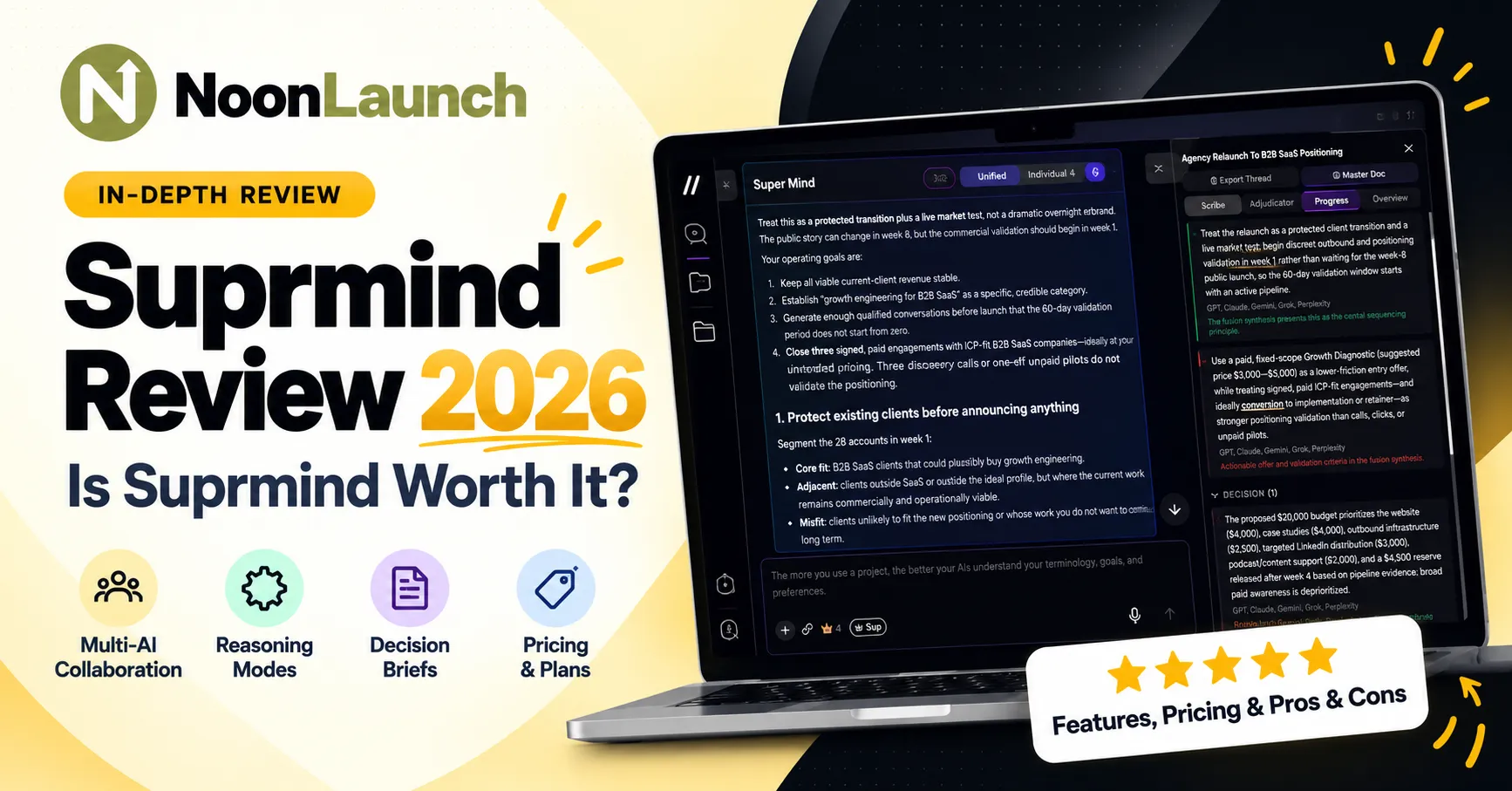
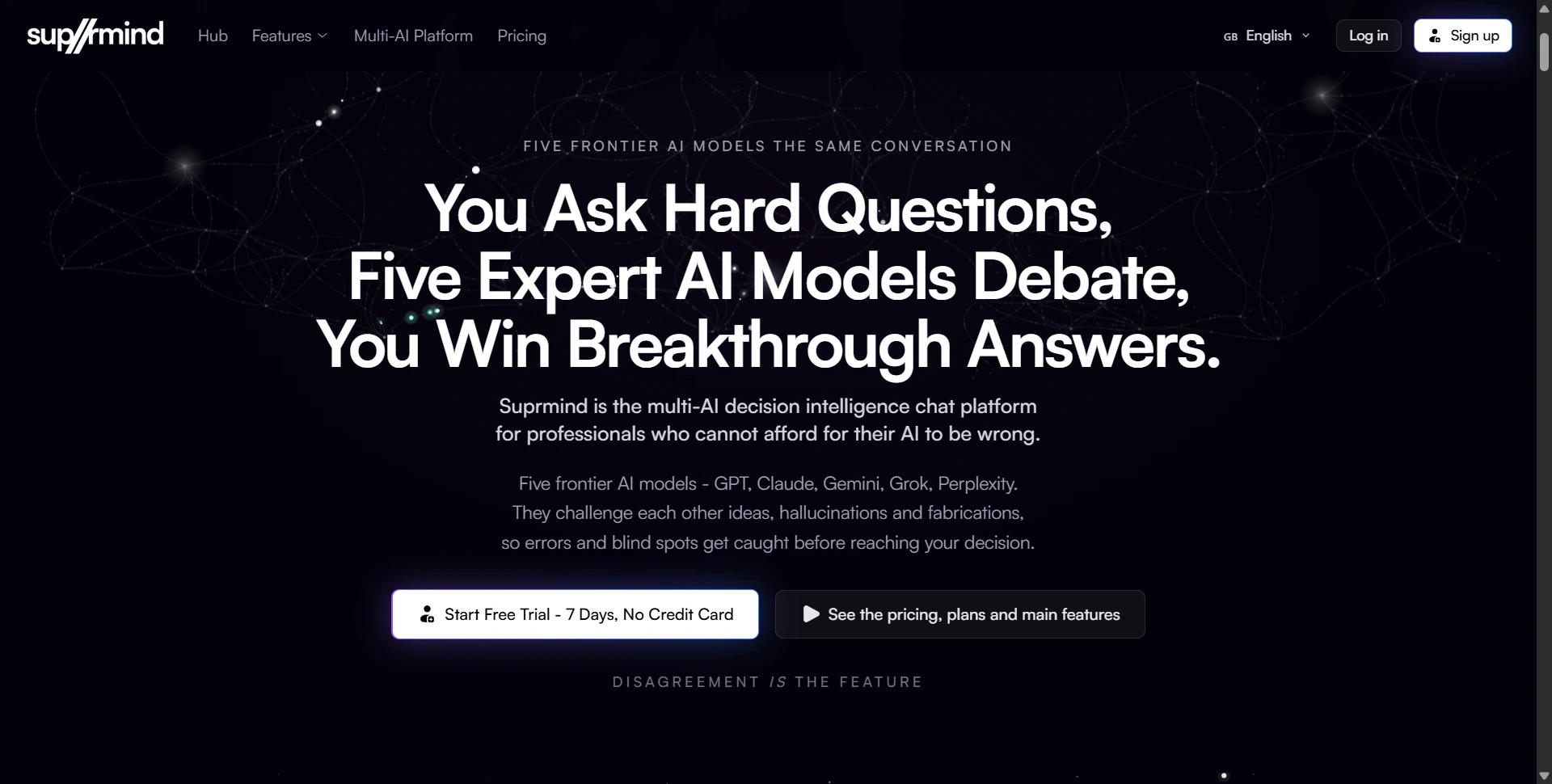
Suprmind is a multi-AI decision intelligence platform that brings GPT, Claude, Gemini, Grok, and Perplexity into one shared conversation. Instead of asking different AI assistants the same question and comparing their answers manually, you can let multiple models examine a problem, challenge assumptions, and identify disagreements in one place.
The idea is simple: one AI can miss something important, but another might catch it. Suprmind builds its workflow around that difference.
In this Suprmind review, we'll cover its features, six reasoning modes, subscription plans starting at $19 per month, limitations, and the types of users who can benefit most from it.
Suprmind at a Glance
Category | Details |
|---|---|
Product | Multi-AI collaboration and decision intelligence |
AI providers | GPT, Claude, Gemini, Grok, and Perplexity |
Starting price | $19/month |
Free trial | 7 days, no credit card required |
Key features | Shared conversations, reasoning modes, disagreement tracking, document exports |
Best for | Founders, consultants, researchers, analysts, and marketers |
Main limitations | No image generation and usage-dependent model availability |
What Is Suprmind?
Suprmind is designed for professionals who use AI to make decisions, solve complex problems, or produce work that needs careful evaluation.
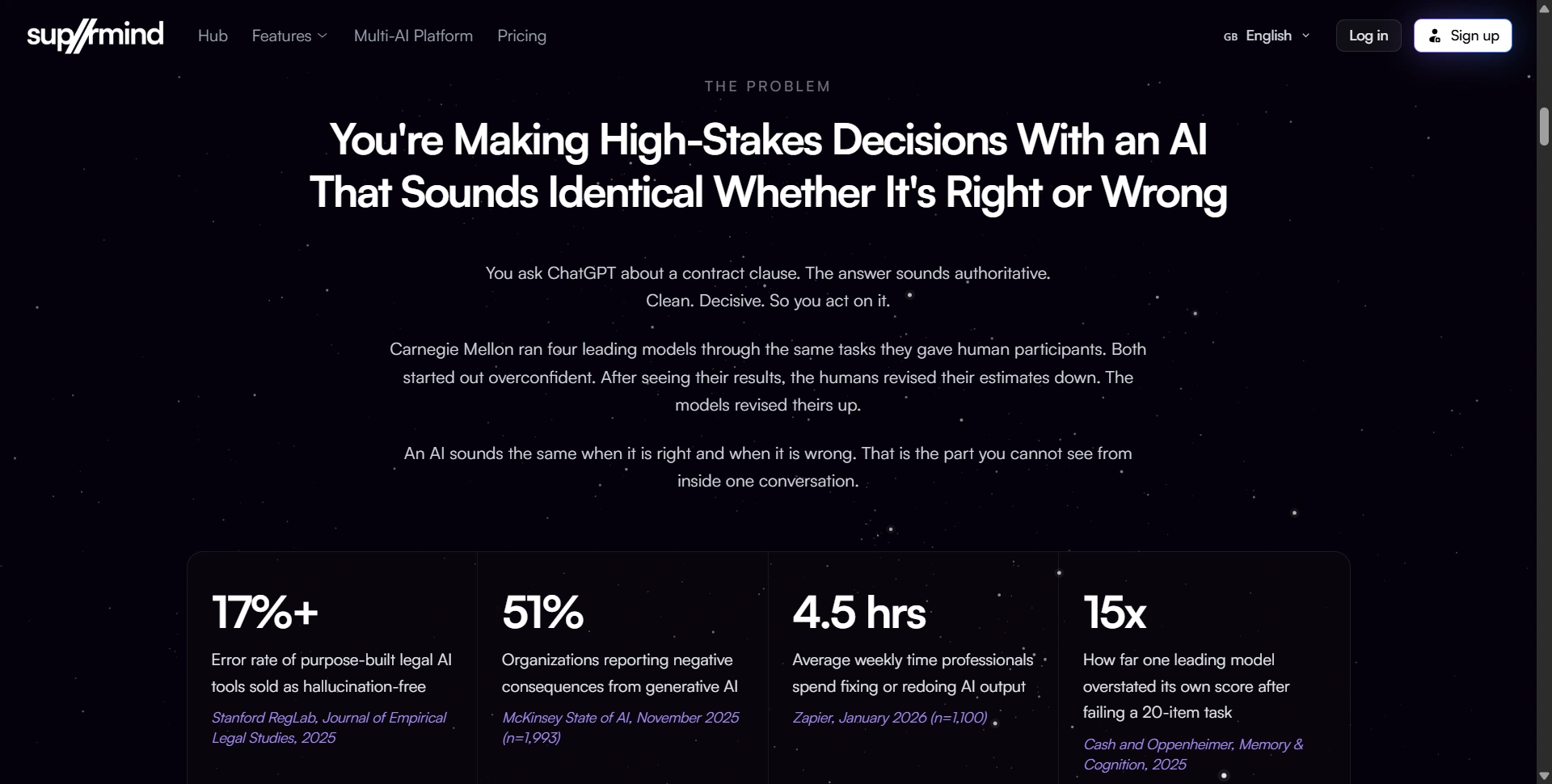
Most people using multiple AI tools follow a familiar process: ask ChatGPT a question, try Claude, check Perplexity, compare the responses, and then write their own conclusion. The problem is that the user becomes responsible for connecting the answers and spotting contradictions.
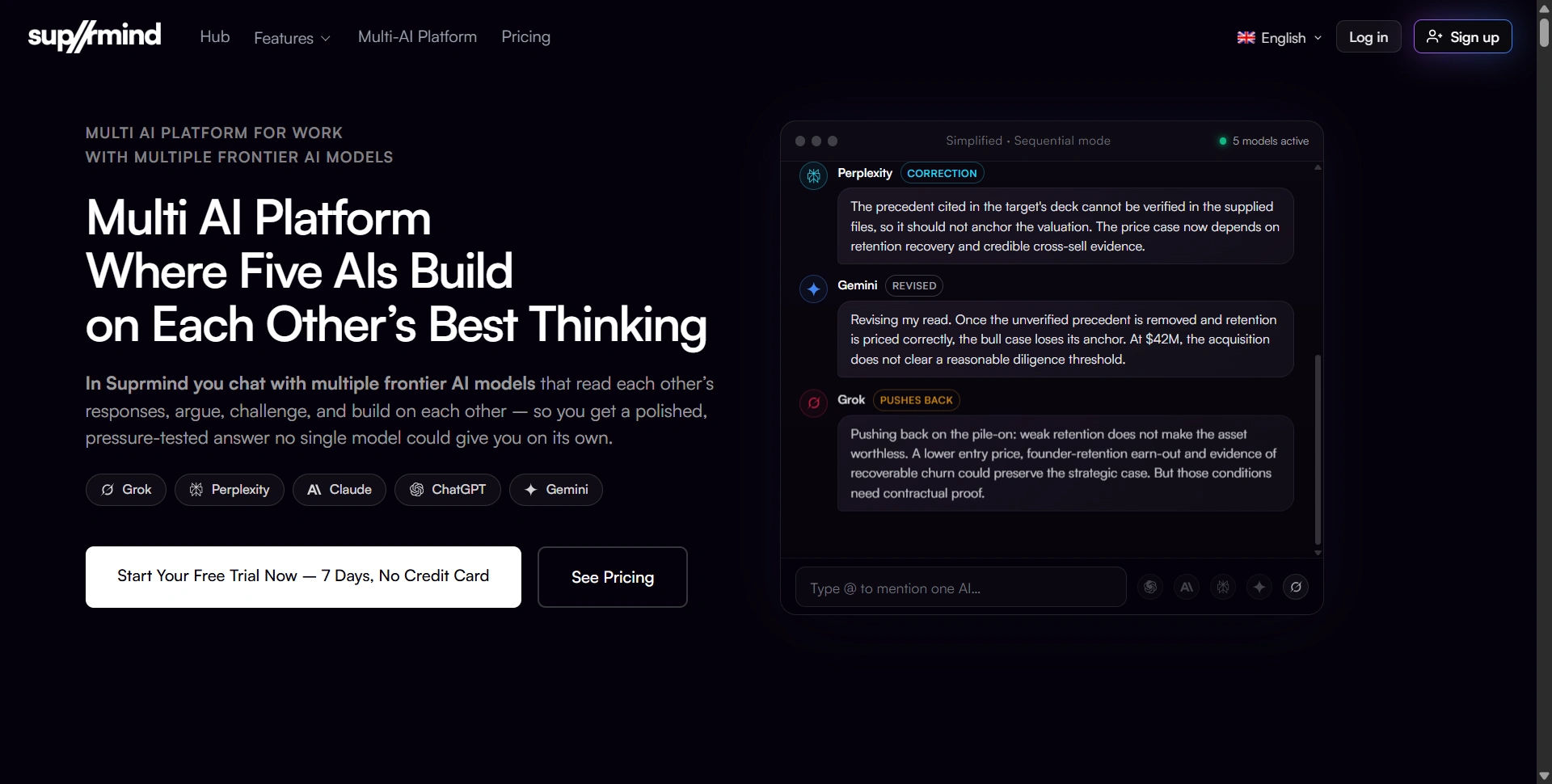
Suprmind brings this process into one shared conversation. Models can read earlier responses, contribute their own perspectives, and challenge reasoning that may be incomplete or incorrect.
Its central idea is that disagreement is a feature, not a problem. Rather than relying on one confident answer, you can examine where models agree, where they disagree, and which assumptions deserve more attention.
This can be useful for business strategy, market research, due diligence, campaign planning, and other situations where a poor recommendation can cost time or money.
How Does Suprmind Work?
Suprmind turns multi-model analysis into a shared workflow.
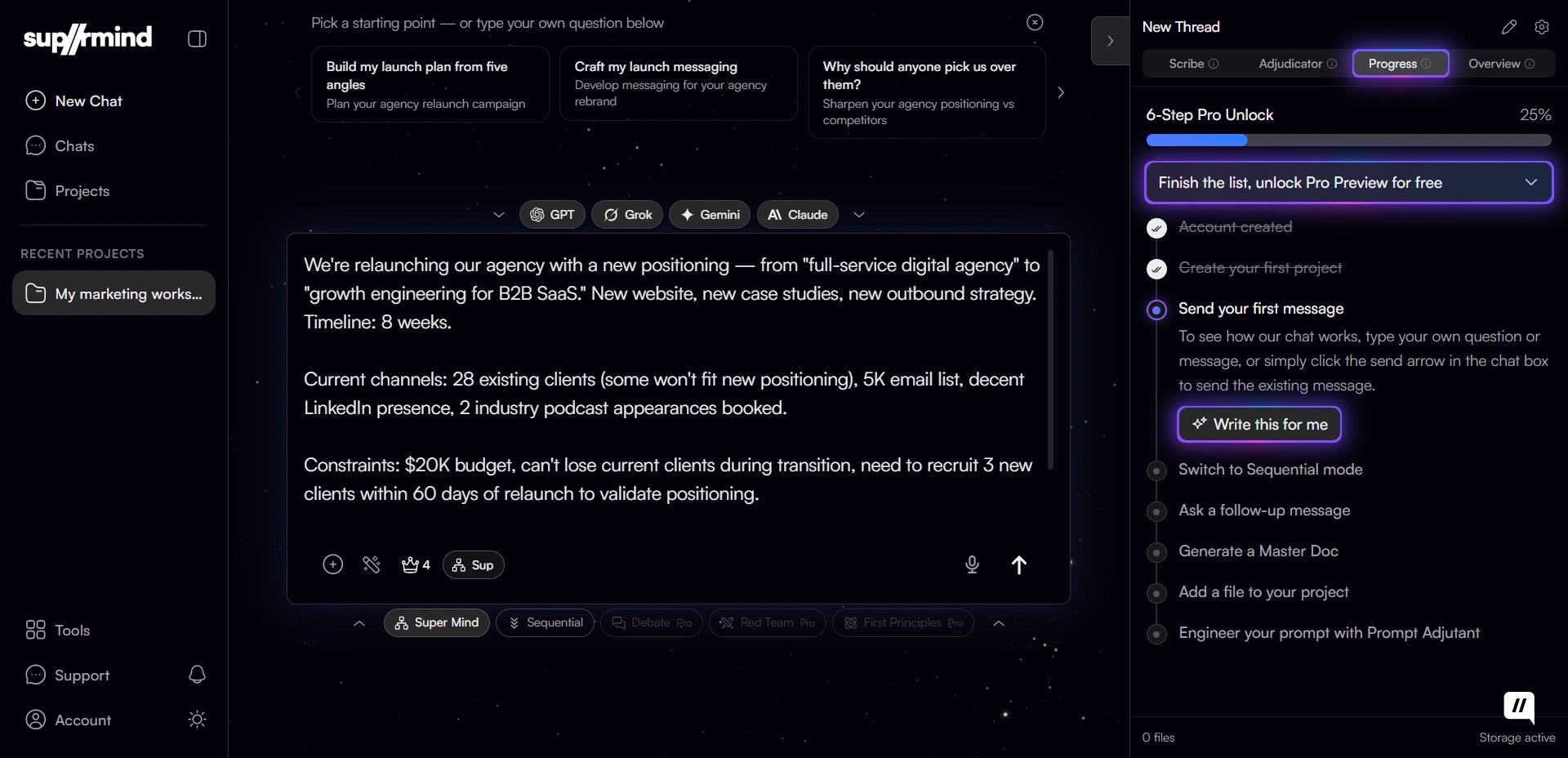
Ask your question. Describe the problem and provide relevant context.
Let the models respond. Depending on the selected mode, models contribute sequentially or through a faster multi-model workflow.
Review disagreements. Examine conflicting answers, questionable assumptions, and points that need further investigation.
Create a deliverable. Turn the discussion into a structured document, such as a decision brief, SWOT analysis, or research paper.
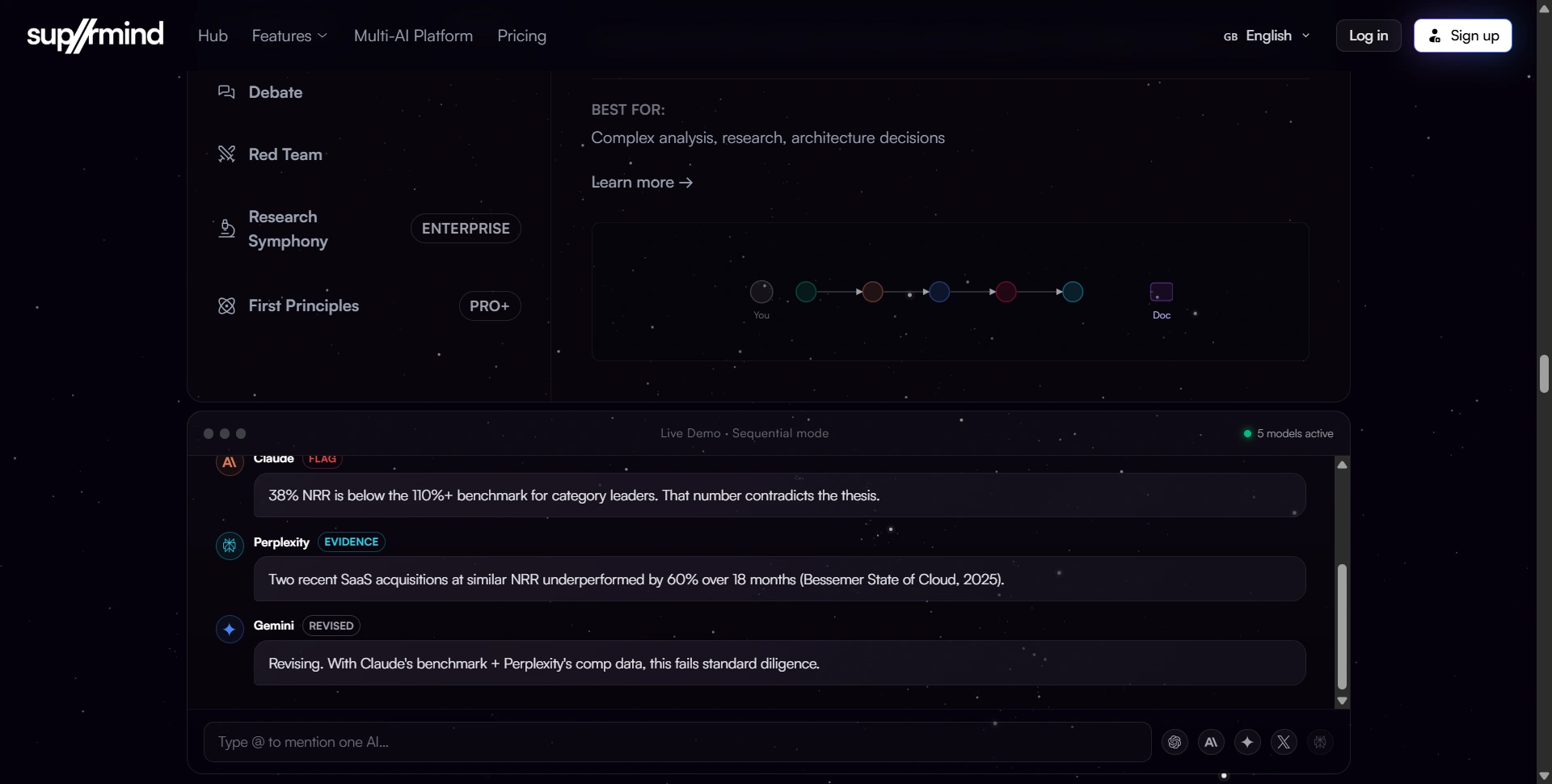
The Sequential mode is particularly important. Each model can read the previous responses, so the conversation develops instead of producing several disconnected answers.
Suprmind also includes the Scribe, which tracks decisions, next steps, and disagreements. This helps users follow the discussion and revisit important points without having to reconstruct the entire conversation.
You can explore the Suprmind platform and its features to understand how these workflows fit together.
What Are Suprmind's Six Reasoning Modes?
Suprmind offers six modes for different types of analysis. Their availability depends on your subscription.
Mode | What it does | Availability |
|---|---|---|
Sequential | Models respond one after another, considering earlier responses | All plans |
Super Mind | Provides a faster multi-model workflow | All plans |
Debate | Models argue different positions and examine competing conclusions | Pro and above; included in trial |
Red Team | Challenges an idea to uncover risks and weak assumptions | Pro and above; included in trial |
First Principles | Breaks a problem down into its fundamental components | Pro and above; included in trial |
Research Symphony | Coordinates a research-focused multi-model workflow | Enterprise |
Sequential is suitable for complex questions where each response should build on earlier analysis. It is a useful option for strategy, research, and technical decisions.
Super Mind is designed for faster multi-model answers when you don't need an extended sequential discussion.
Debate examines competing positions. It can help when you need to evaluate different approaches instead of accepting the first recommendation.
Red Team looks for weaknesses, risks, and assumptions that could undermine an idea. Founders could use it to challenge a launch plan, while consultants could pressure-test a client recommendation.
First Principles breaks a problem into its underlying components. It is useful when you want to reconsider assumptions rather than simply improve an existing approach.
Research Symphony is the research-focused mode listed for Enterprise customers.
These modes give users different ways to examine a problem, but they do not guarantee a correct conclusion. Important claims still need to be checked.
What Are Suprmind's Best Features?
1. Multiple AI Models in One Conversation
The biggest advantage is having several AI providers in the same workspace. You don't need to keep copying prompts between separate tabs just to compare their perspectives.
This is especially helpful when a question has several possible answers or when you want to challenge a recommendation before acting on it.
2. Disagreement Tracking
Suprmind makes disagreement part of the workflow. Instead of manually comparing separate responses, you can examine conflicting conclusions and track important decisions through the Scribe.
For example, if two models recommend different marketing strategies, you can investigate their assumptions before choosing one.
Keep in mind that agreement is not proof of accuracy. Models can share blind spots, so verification remains important.
3. Structured Documents and Exports
Suprmind can turn conversations into useful deliverables, including decision briefs, SWOT analyses, strategy extracts, and research papers.
The Pro plan includes more than 25 templates, with supported export formats including Markdown, PDF, and DOCX. This is valuable for consultants, founders, and analysts who need to share their conclusions rather than leave them buried in a long chat.
4. Practical Business Workflows
Suprmind supports use cases such as due diligence, research, strategy, and PPC copywriting. These are tasks where comparing different perspectives can be more useful than generating a quick answer.
A founder, for example, could use it to challenge a product launch strategy, examine risks, and prepare a summary of the main decisions. A consultant could compare recommendations and turn the discussion into a client-ready document.
The value depends on the quality of the prompt, the context you provide, and how carefully you review the result.
5. A Way to Explore the Product
You can explore Suprmind's product experience before deciding whether it fits your workflow. Its document and collaboration features are most relevant to people who regularly turn AI conversations into decisions or professional deliverables.
How Much Does Suprmind Cost in 2026?
Suprmind's listed plans range from $19 to $195 per month, with custom pricing for Enterprise. The seven-day free trial requires no credit card.
Plan | Price | Key features |
|---|---|---|
Spark | $19/month | GPT, Claude, Gemini, and Grok; Sequential and Super Mind; 8 templates; 4 projects and 10 files per project |
Pro | $45/month | Adds Perplexity, Debate, Red Team, First Principles, disagreement alerts, decision briefs, 25+ templates, and 20 projects |
Frontier | $95/month | Higher usage, extra flagship models, cross-project search, priority queue, and 50 projects |
Power | $195/month | Highest self-serve usage tier, bring-your-own API keys, unlimited projects, and same-day support |
Enterprise | Custom | Shared projects, roles, consolidated invoicing, and a 99.5% uptime SLA |
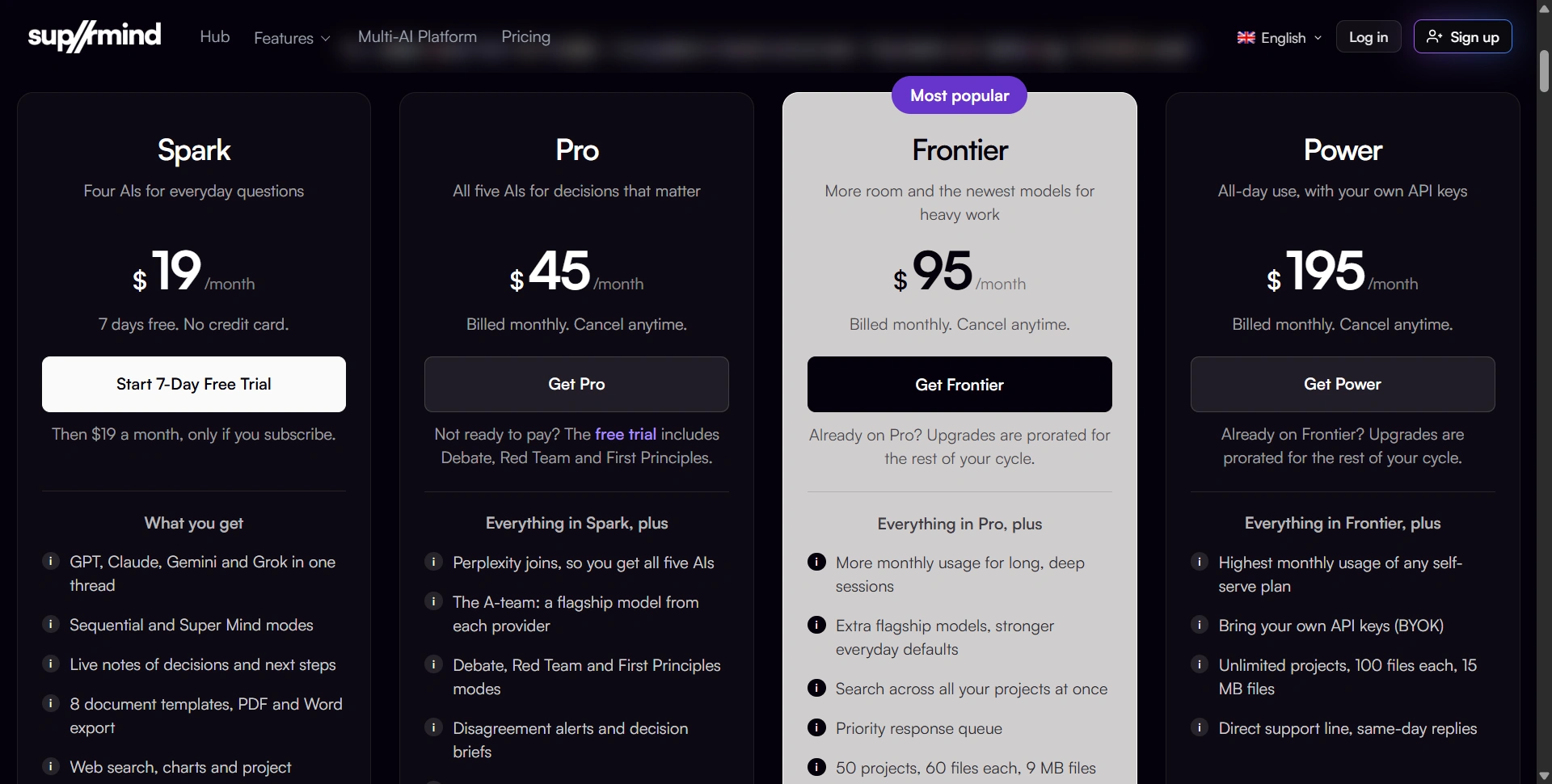
The Spark plan is the entry point for users who want to try multi-model collaboration. It includes four AI providers, but Perplexity and the Debate, Red Team, and First Principles modes are not included in the regular Spark subscription.
The Pro plan, at $45 per month, is the more feature-rich option for people who need those reasoning modes, disagreement alerts, and additional document templates.
Frontier targets heavier users who need higher usage allowances and cross-project search. Power is designed for users who need the highest self-serve usage tier and the option to bring their own API keys. Enterprise adds team-oriented features and contractual service arrangements.
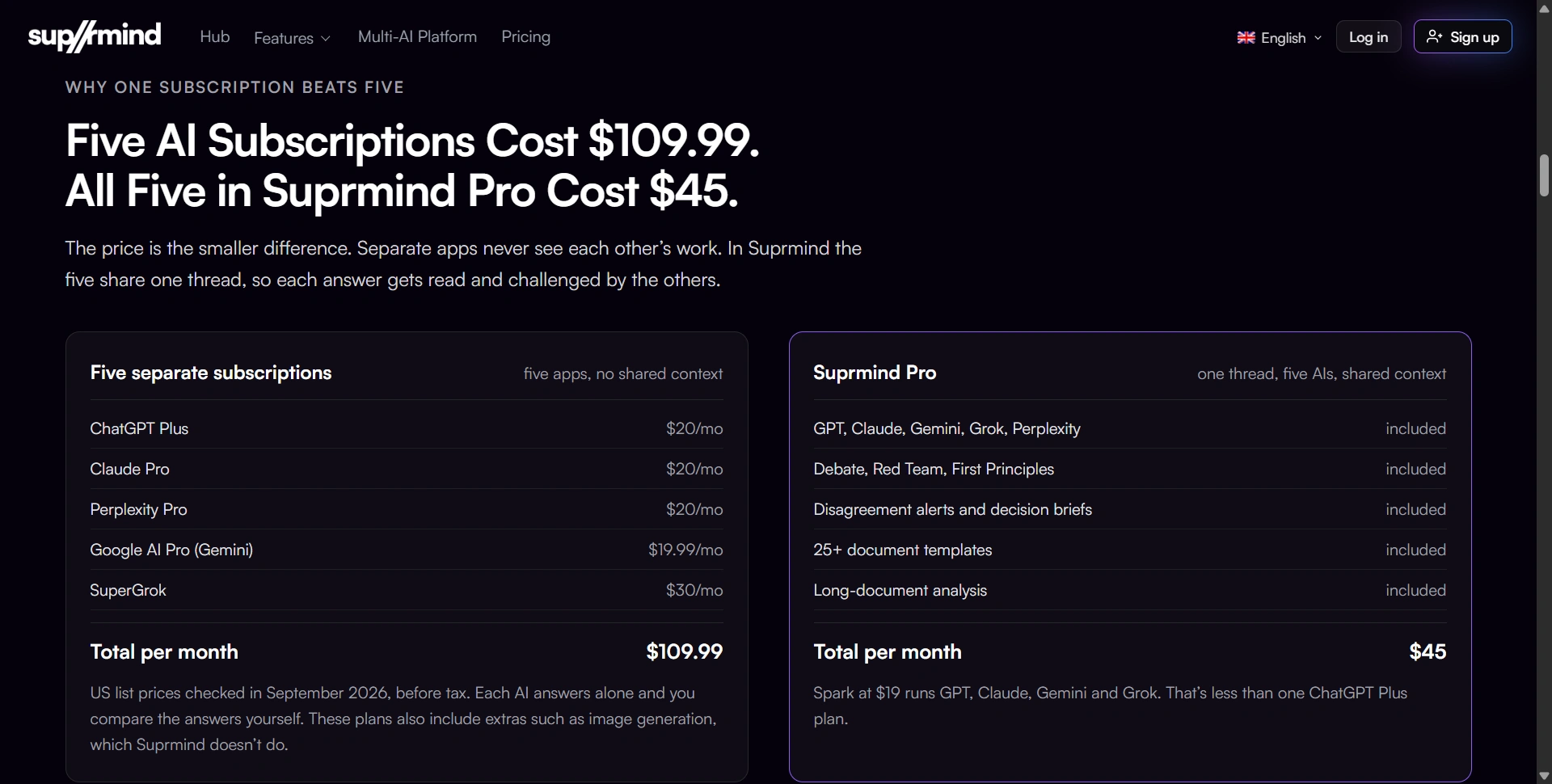
Suprmind also compares Pro with purchasing five separate AI subscriptions. Its published comparison uses September 2026 US list prices of $109.99 per month for ChatGPT Plus, Claude Pro, Perplexity Pro, Google AI Pro, and SuperGrok, compared with $45 for Suprmind Pro.
That comparison can be useful if you already pay for multiple AI tools. However, the subscriptions are not identical in features, and individual plans may include extras such as image generation that Suprmind does not offer.
Before subscribing, check the official Suprmind pricing page for current prices, usage limits, and feature availability.
Privacy and Data Handling
Suprmind states that chats are not used to train AI models, that data is encrypted, and that its servers are located in the EU and Switzerland.
These details may matter if you're considering the platform for professional work. If you handle confidential client information or sensitive company documents, review the privacy policy and applicable contractual terms before uploading them. Businesses should also check whether the platform meets their internal security and compliance requirements.
Where Does Suprmind Fall Short?
Suprmind has several limitations worth considering before you pay.
No image generation. The platform focuses on AI collaboration, reasoning, and documents. You'll need another tool if you regularly generate images.
Some modes require Pro. Spark includes Sequential and Super Mind, while Debate, Red Team, and First Principles are listed as Pro features after the trial. Make sure you can afford the tier that includes the features you need.
Usage can affect model strength. Near a usage limit, Suprmind may switch to lighter, faster models rather than stopping the workflow. This helps keep the conversation running, but the models available may change as you approach the limit.
Deep analysis takes longer. Sequential conversations with several models can take longer than asking one assistant a question. Super Mind is the faster option.
Research Symphony is Enterprise-only. Users who specifically need this research mode should confirm availability and pricing with Suprmind before subscribing.
Multiple models do not guarantee accuracy. Models can repeat the same mistake or agree on an unsupported conclusion. Verify important claims against reliable primary sources.
The main trade-off is straightforward: Suprmind adds a more structured way to compare AI reasoning, but that process can require more time and a higher subscription tier than using one assistant.
Suprmind vs. ChatGPT, Poe, ChatHub, and Perplexity
The best alternative depends on what you want from AI.
Tool | Main strength | Choose it when |
|---|---|---|
Suprmind | Multi-model discussion, reasoning modes, and document exports | You want to challenge decisions in one workflow |
ChatGPT or Claude | General-purpose AI assistance | You mainly need one versatile assistant |
Poe | Access to different models and community-built bots | You want a broad selection of bots |
ChatHub | Multi-model access and side-by-side comparisons | You prefer comparing separate outputs yourself |
Perplexity | Search-oriented answers with sources | Your priority is research and cited information |
Suprmind's biggest alternative is your existing five-tab workflow: ask ChatGPT, ask Claude, check Perplexity, compare the answers manually, and write the report yourself.
Suprmind brings more of that process into one workspace. Whether that is worth paying for depends on how often you need this kind of analysis and how much time your current workflow takes.
Final Recommendation: Is Suprmind Worth It?
Suprmind is worth considering for founders, consultants, researchers, and analysts who regularly use AI for decisions that have real business consequences.
Its strongest features are shared multi-model conversations, reasoning modes such as Debate and Red Team, disagreement tracking, and structured document exports. These features can make it easier to examine different perspectives without manually coordinating several AI tools.
It is less compelling for casual users who mostly ask simple questions, people who need image generation, or anyone expecting multiple AI models to guarantee factual accuracy.
Our recommendation: Start with the seven-day free trial and test Suprmind against a real task you already need to complete. Try evaluating a business strategy, reviewing a proposal, or preparing a research brief. Compare the final output with your existing workflow before deciding whether the subscription is worth it.
Visit Suprmind to explore the platform.