DeepCleanMac Review 2026: Is It Worth It?
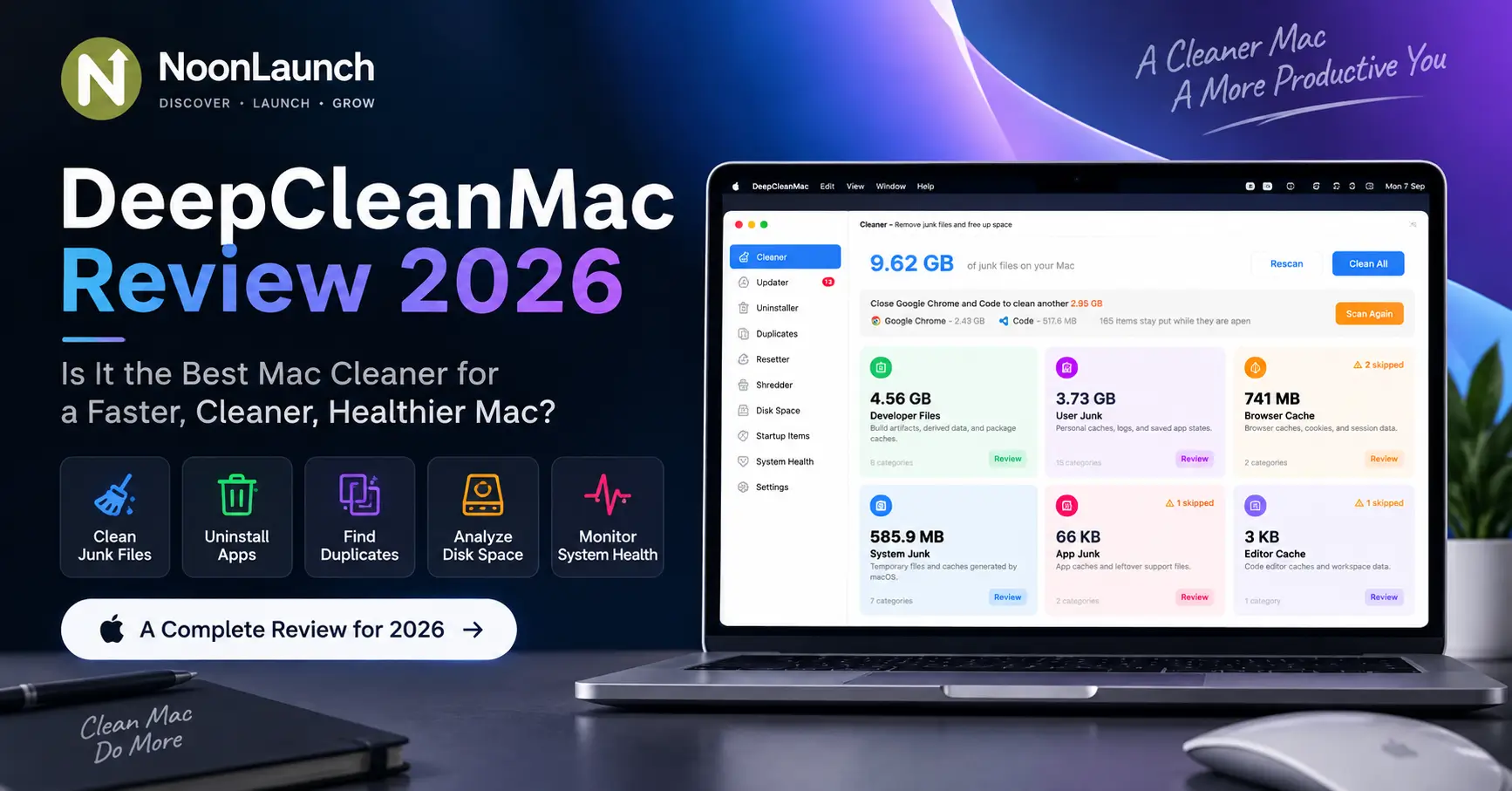
If your Mac is constantly running low on storage, accumulating old application files, or becoming difficult to keep organized, a Mac cleaning utility can be useful. DeepCleanMac takes a broader approach than a simple junk-file cleaner. It combines cleanup, app management, duplicate detection, startup controls, disk analysis, and system monitoring in one macOS application.
This DeepCleanMac review looks at what the software offers and what you should consider before installing another utility on your Mac.
What Is DeepCleanMac?
DeepCleanMac is a native macOS utility designed to help users clean, organize, and maintain their Macs. According to its website, the app scans more than 200 hidden system locations and supports both Apple Silicon and Intel Macs running macOS Sonoma 14.0 or later.
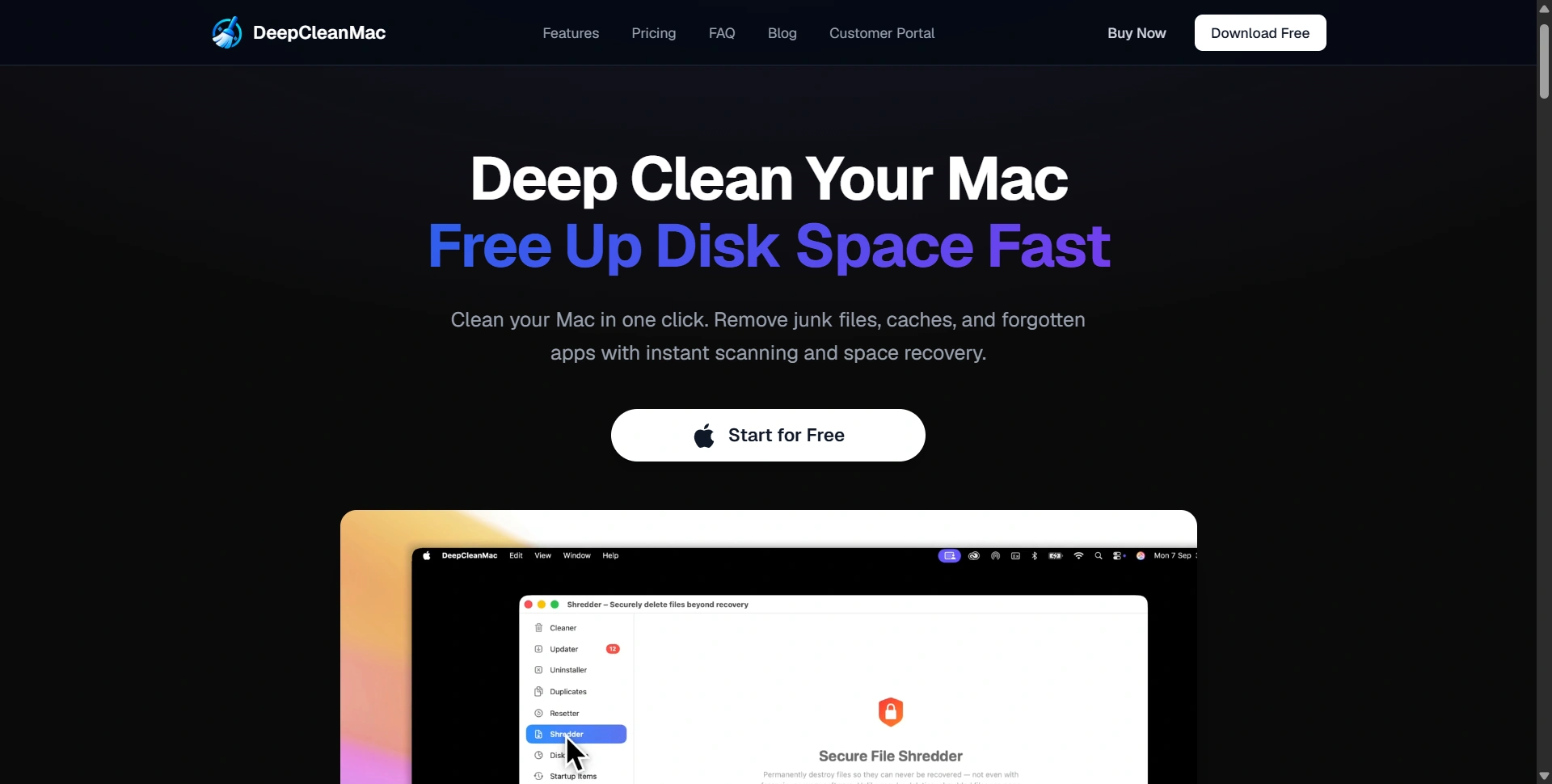
The product is built around one idea: users can access cleanup, app removal, duplicate detection, updates, startup management, and monitoring from one application.
That makes DeepCleanMac an all-in-one Mac maintenance tool rather than a dedicated disk cleaner. Storage problems rarely come from one file type, so covering caches, leftovers, duplicates, applications, and large folders from one interface is practical.
What Features Does DeepCleanMac Offer?
The feature set is a strong point. The application brings together eight utilities: Cleaner, Updater, Uninstaller, Duplicates, Resetter, Shredder, Disk Space, and System Health.
The Cleaner focuses on removable system and application data, including junk files, caches, logs, temporary files, and leftovers. The interface shown in the screenshots breaks cleanup results into categories, making it easier to understand where storage is being used before deleting anything.
The Updater collects application updates in one place, including sources such as the App Store and Homebrew.
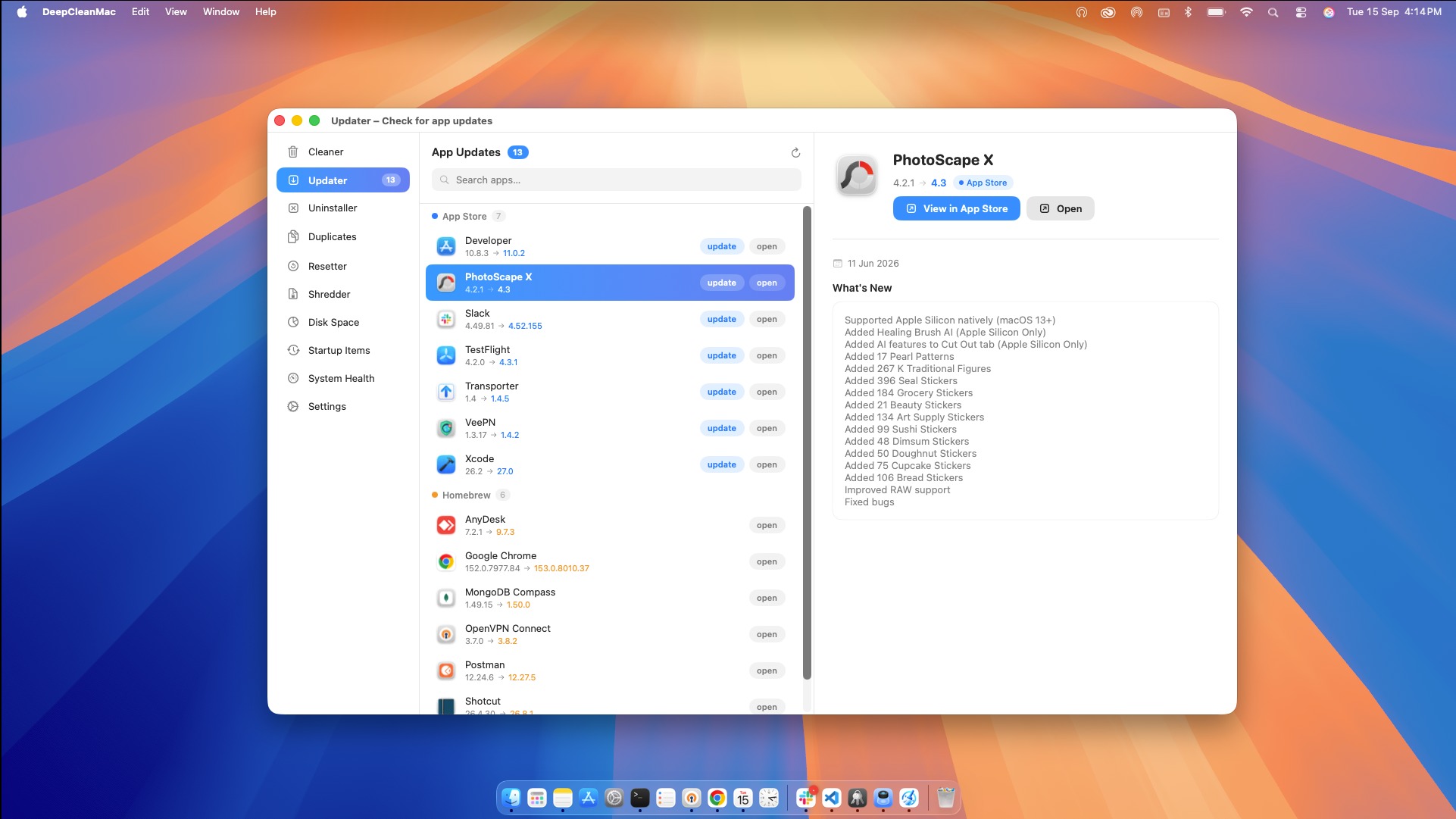
The Uninstaller is designed to remove applications together with associated files. That is useful because dragging an application to the Trash does not always remove every preference, cache, or support file connected to it.
The Duplicates tool identifies duplicate files and lets users review copies before deletion. This can help developers, designers, photographers, and other users who regularly create multiple versions of files.
The Resetter provides another practical option: clearing an application's stored data without completely reinstalling the application. The Shredder is aimed at permanently deleting sensitive files, while Disk Space provides a visual way to understand storage consumption.
Finally, System Health brings together information such as CPU usage, memory usage, battery status, network activity, temperature, disk space, and running processes.
Is DeepCleanMac Easy to Use?
The interface is one of DeepCleanMac's stronger aspects. Navigation is organized around individual maintenance tasks, so users can find basic functions without digging through complicated settings.
The Cleaner screen, for example, presents storage categories with individual sizes and review controls. This is preferable to a single large "clean everything" button because it gives users more visibility into what the application has detected.
The same philosophy appears across the other modules. The Updater separates applications and available updates, while Disk Space uses a visual treemap to show which folders consume the most storage.
For less technical users, this makes maintenance more approachable. Technical users also get useful details without relying on Terminal commands or manual folder hunting.
There is a learning curve because the application includes many tools, but the sidebar keeps them clearly separated.
How Effective Is DeepCleanMac for Mac Cleanup?
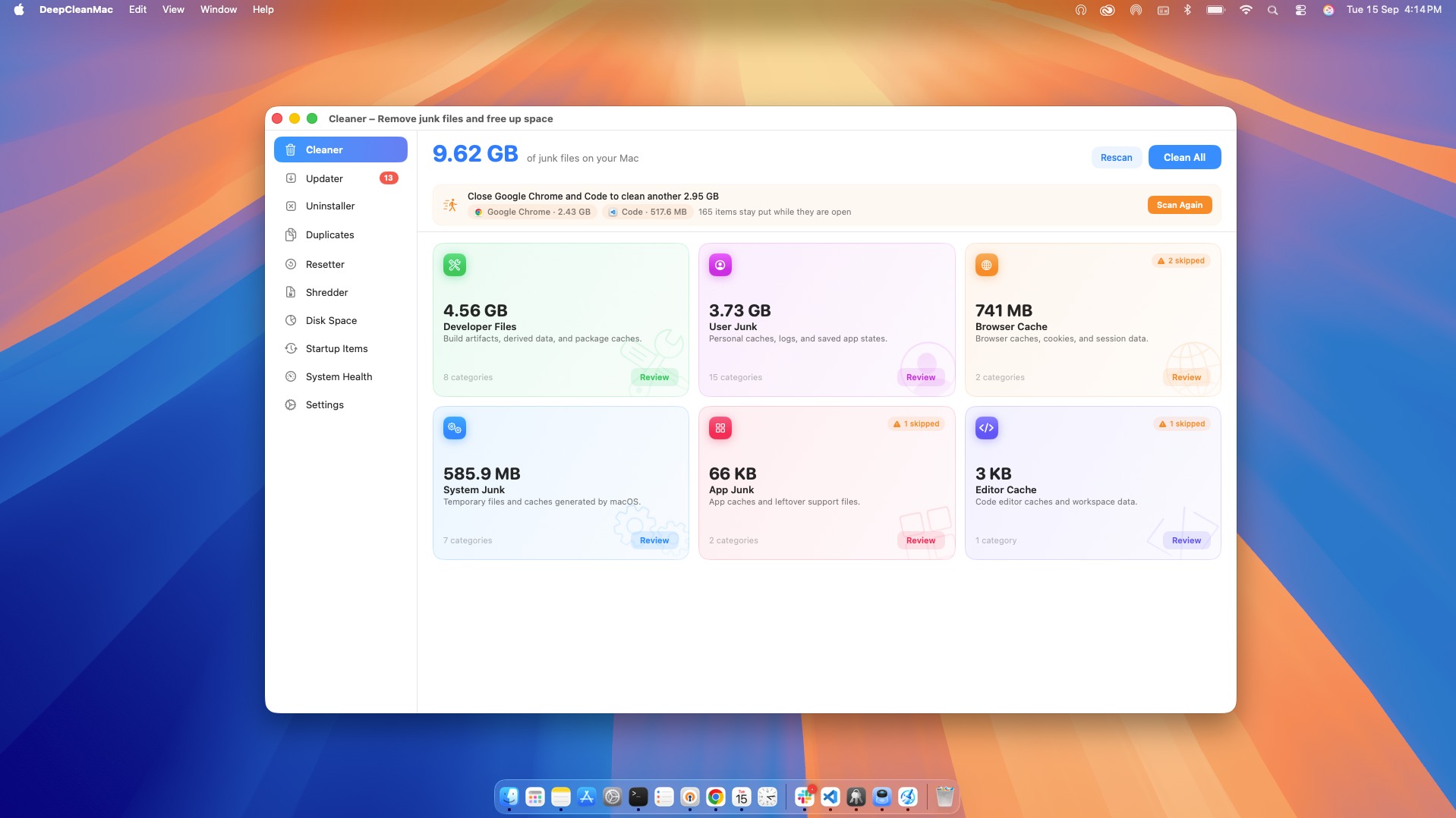
The Cleaner is the feature most users will notice first, and the screenshots show why. Instead of presenting one unexplained storage number, DeepCleanMac categorizes detected data into areas such as developer files, user junk, browser cache, system junk, app junk, and editor cache.
That categorization is valuable because not every large file is something you should automatically delete.
Developers may have large build artifacts, package caches, or derived data that can be regenerated. Browser caches can also grow substantially. Seeing categories separately helps users make a more informed decision.
The application also shows when items are skipped, which adds transparency. Certain data may require an application to be closed or additional access to be granted.
That makes the cleanup workflow feel more controlled than a one-click optimizer.
How Well Does DeepCleanMac Handle App Management?
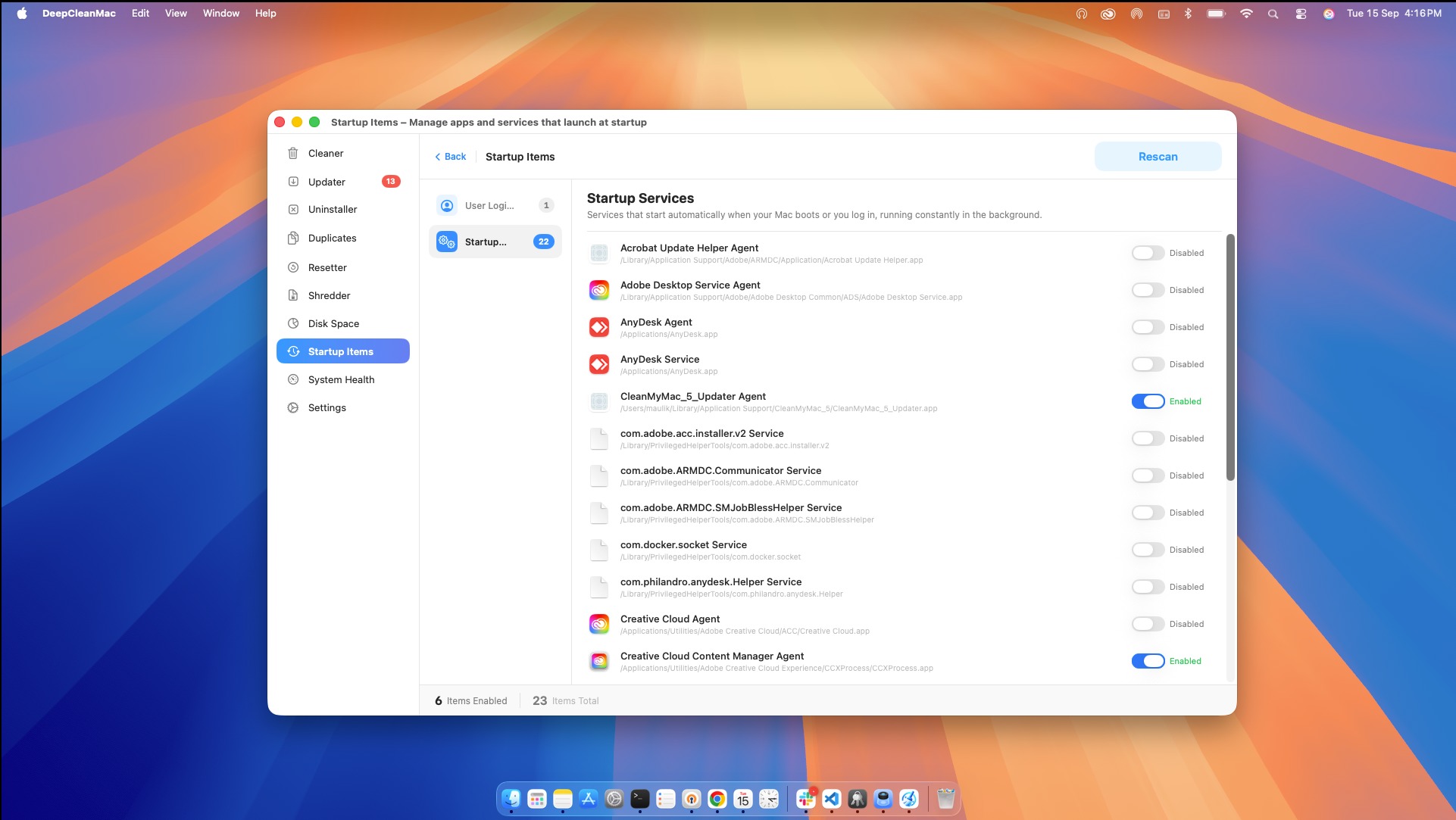
DeepCleanMac is more interesting when viewed as an app management utility rather than only a cleaner.
The Updater can collect available updates across supported sources, while the Uninstaller focuses on removing applications and their associated data. Together, these features address two common maintenance tasks that are often handled separately.
The screenshots show a broad application list containing developer tools, browsers, communication software, and utilities. For people who install software frequently, having one place to review applications and updates can save time.
The Startup Items module is another useful addition. It shows services and login items that can run automatically when the Mac starts or a user logs in. Users can review these entries and disable unwanted startup activity.
This is relevant for people who have accumulated many applications over several years. Background services are easy to forget, and a dedicated interface makes them easier to audit.
Does DeepCleanMac Help Find Large Files?
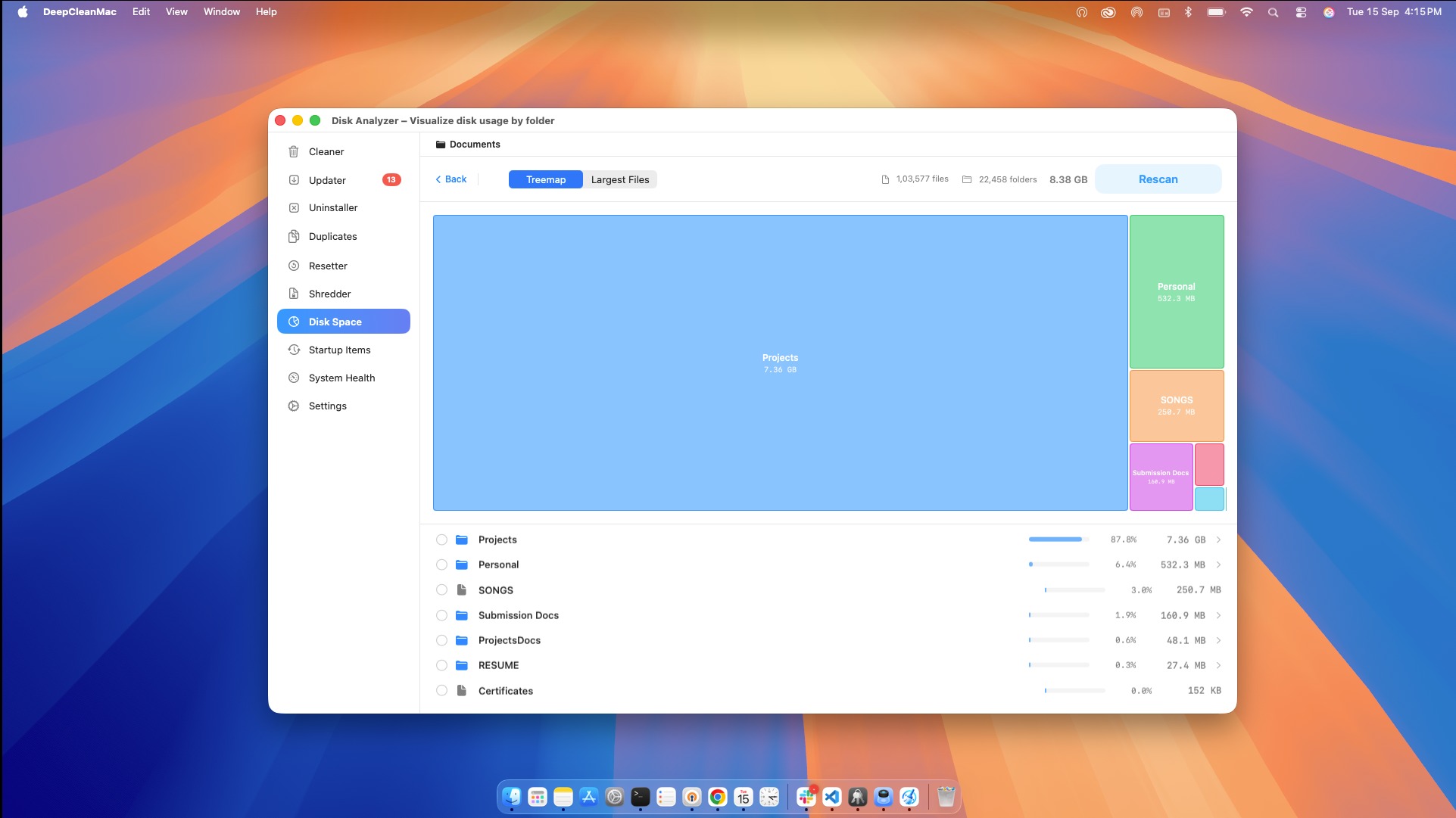
Yes, but its approach is different from simply displaying a sorted file list.
The Disk Space Analyzer uses a treemap visualization to represent storage consumption. In the screenshot, project folders occupy most of the visible area, immediately showing where the storage is concentrated.
This is useful because storage problems are often caused by a few large directories rather than thousands of tiny files.
For developers, this can make project folders and build outputs easier to identify. For general users, it can expose large document, media, or application directories that may have been forgotten.
The visual approach is particularly helpful when you do not know what is consuming your disk. Instead of guessing which folders to investigate, you can start with the largest blocks.
What Does DeepCleanMac System Health Monitoring Offer?
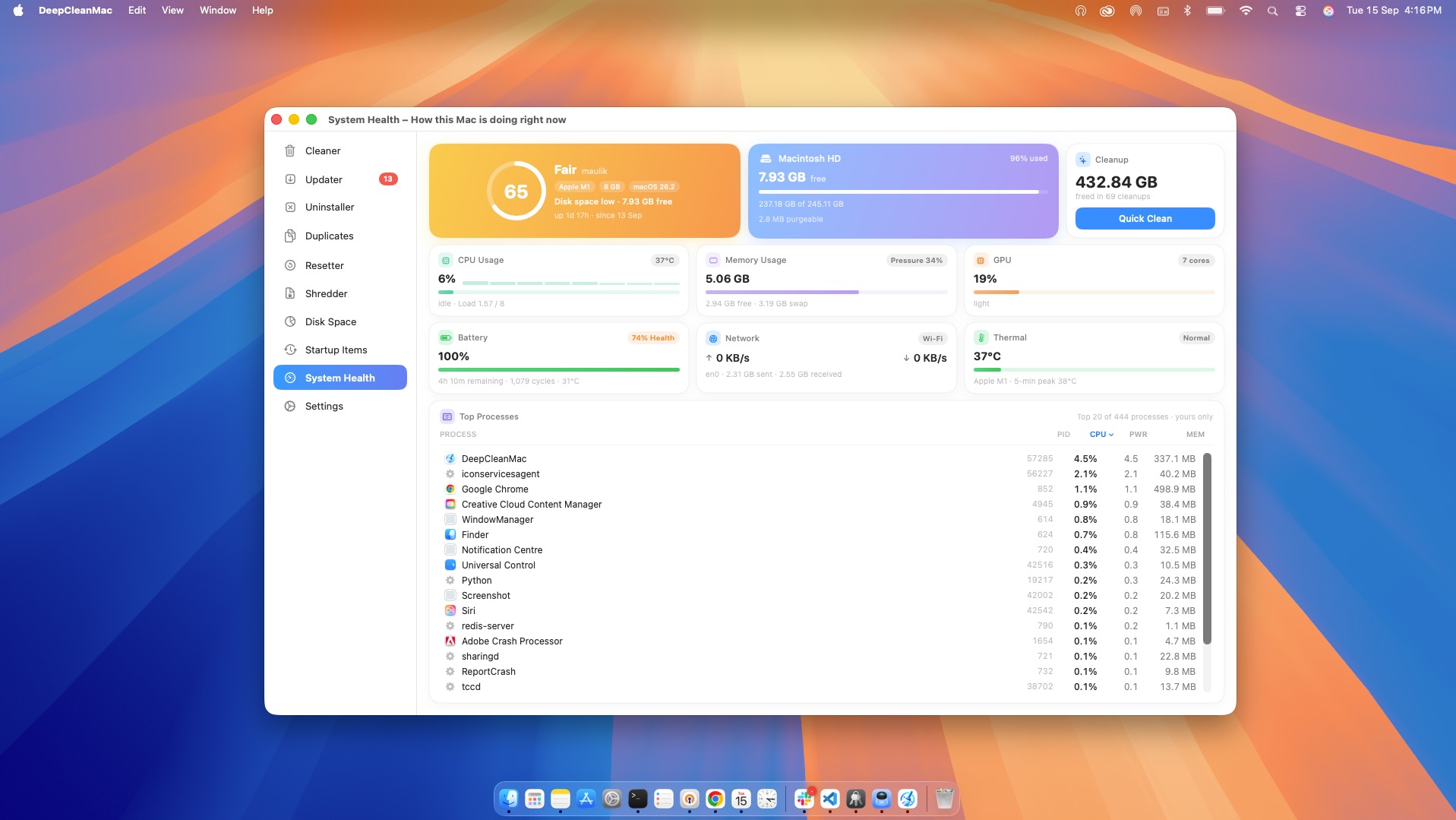
System Health broadens DeepCleanMac beyond storage management.
The dashboard shown in the screenshots combines CPU usage, memory usage, GPU activity, battery health, network activity, thermal information, disk space, and running processes. It also provides a health score and a list of top processes.
This does not replace Apple's Activity Monitor for advanced diagnostics, but it gives everyday users a more approachable overview of their Mac.
That combination is useful because storage maintenance and system monitoring often overlap. A Mac with little free disk space, heavy background processes, or excessive startup services may deserve a maintenance check.
What Are DeepCleanMac Main Strengths?
DeepCleanMac's biggest strength is breadth. It does not stop at removing junk files. It combines several common Mac maintenance tasks into one application.
The second strength is visibility. Categories, file sizes, update lists, duplicate groups, disk treemaps, and system metrics give users information before they act.
The third is convenience. Users who would otherwise install separate utilities can handle many maintenance tasks from one interface.
The product also appears actively maintained. Its published changelog shows feature additions and improvements throughout 2026, including startup management, duplicate scanning, updater improvements, dashboard enhancements, and safer handling of protected paths.
What Should You Consider Before Using It?
A Mac cleaning utility is not something every user necessarily needs. macOS already provides built-in storage management, Activity Monitor, application removal, and other maintenance options.
The value of DeepCleanMac therefore depends on convenience and how much manual maintenance you want to perform yourself.
Finding removable data is different from deciding what should be removed. Users should review categories before deleting developer data, project files, application support folders, or data from applications they still use.
The screenshots suggest that DeepCleanMac emphasizes review before cleanup. Still, an automated cleaning tool should be treated as an assistant, not a replacement for judgment.
Is DeepCleanMac Worth It in 2026?
DeepCleanMac makes the most sense for Mac users who want a single maintenance application instead of a collection of separate tools.
It is particularly relevant for storage-heavy workflows, developers with large project files and caches, frequent app installers, and anyone who wants a simpler way to inspect startup services and system activity.
For someone comfortable with Apple's built-in tools, the additional utility may be less important.
The strongest case is not that every Mac needs a cleaner. It is that users who want centralized maintenance can get several useful capabilities in one interface.
Wrap-up!
DeepCleanMac is best understood as an all-in-one Mac maintenance suite rather than a basic cleaner.
Its combination of junk cleanup, app updates, complete uninstalling, duplicate detection, app resetting, secure deletion, disk visualization, startup management, and system health monitoring gives it a wider scope than a single-purpose cleaner.
Platform also show a clear, modern interface with useful information exposed before actions are taken. That makes the product easier to evaluate and use without requiring advanced macOS knowledge.
Whether it is worth installing ultimately depends on your workflow. If you want centralized Mac maintenance and regularly deal with storage, applications, duplicates, or background services, DeepCleanMac offers a practical collection of tools in one place. Try it today.