Omphalis Review 2026: Pricing, Features, Real Limits
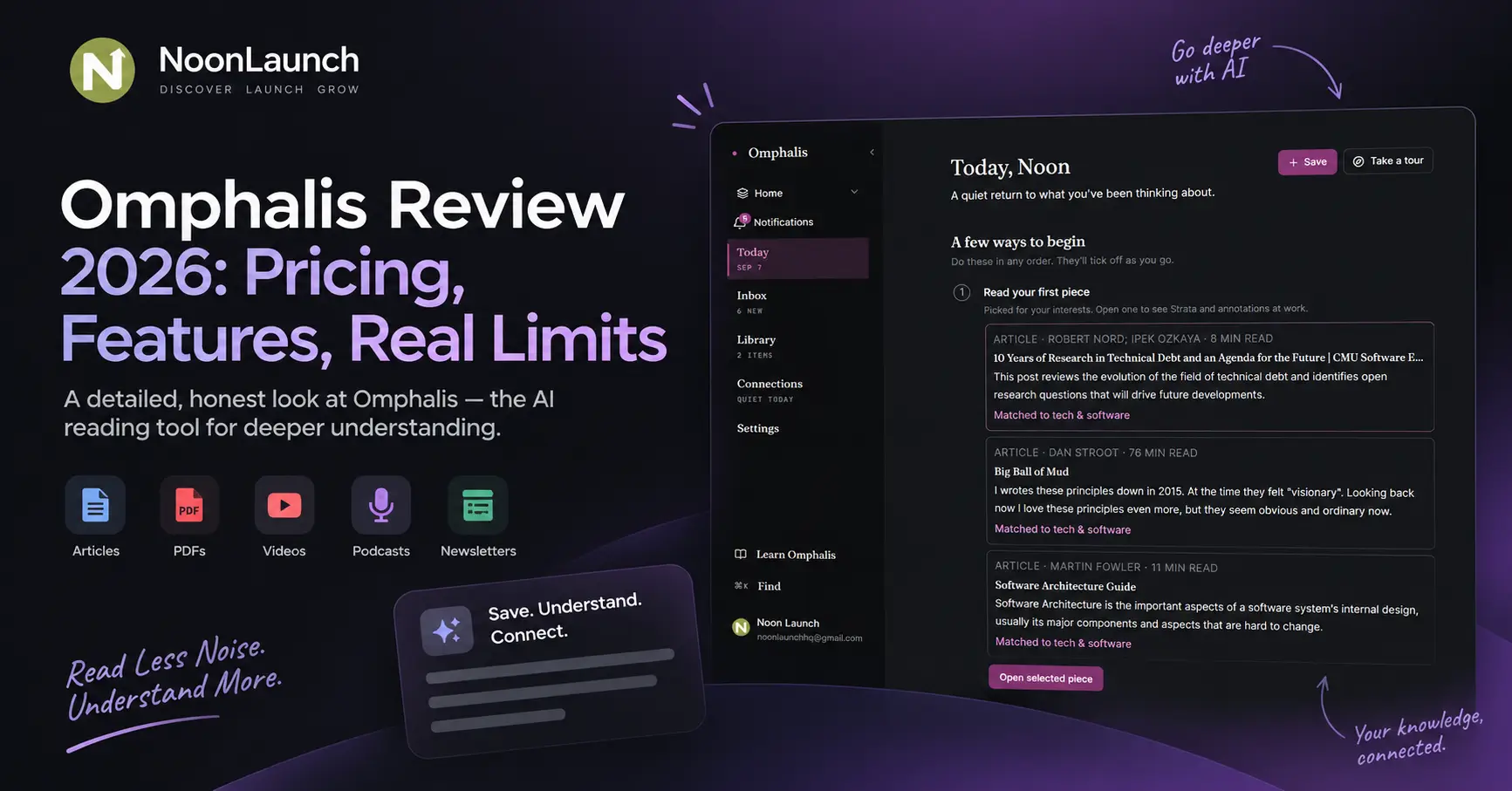
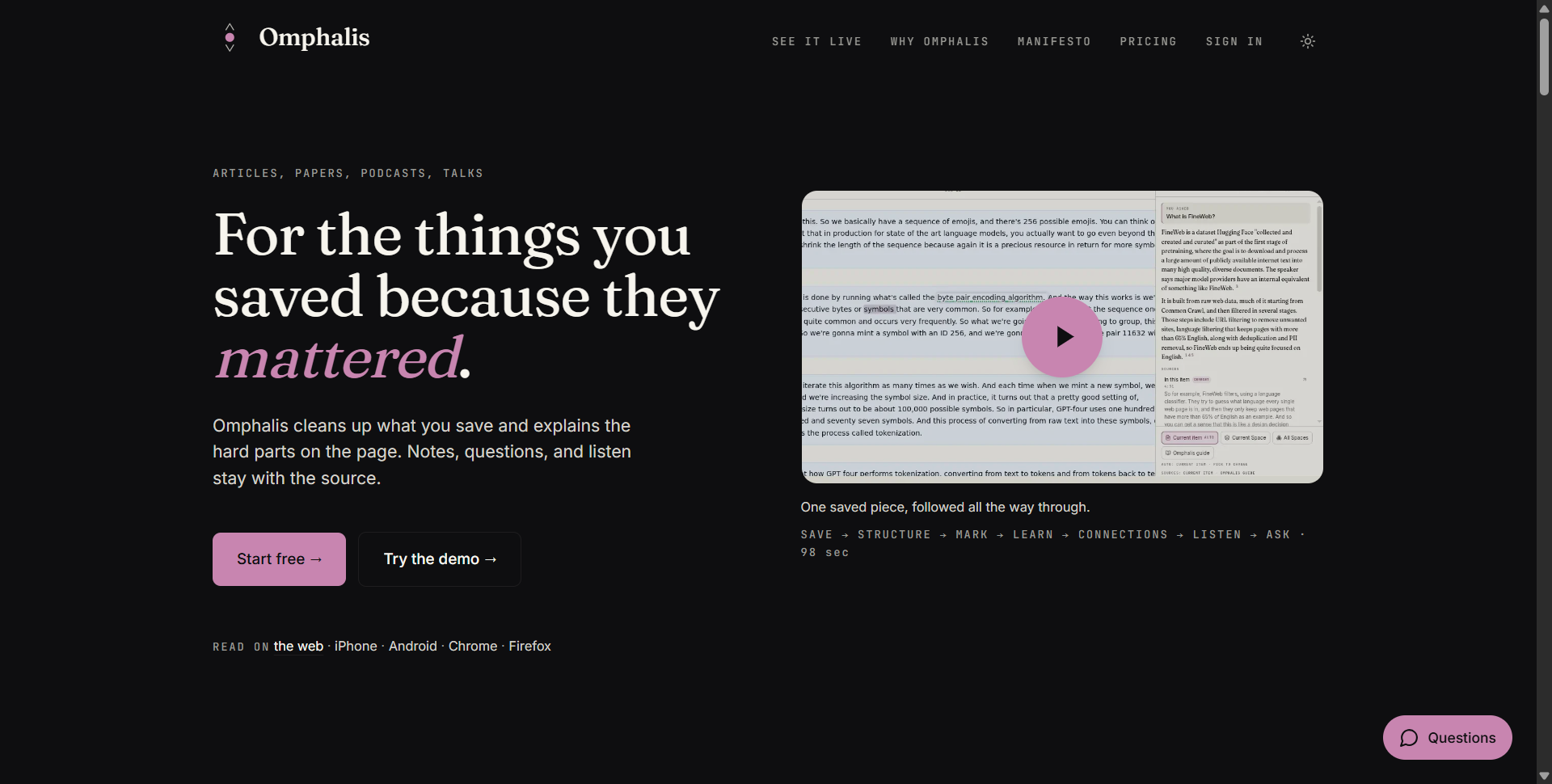
Omphalis is an AI reading app for long-form content: articles, PDFs, research papers, podcasts, YouTube talks, EPUBs and newsletters. It cleans up the source, splits it into typed sections, explains hard passages where you hit them, and answers questions with citations back to the paragraph. Plans run from free to $39 a month. I made an account, went through setup, and read inside it.
I have the exact problem it targets. A folder of saved papers, a podcast queue I will never finish, three tabs open since March. So the thing I wanted to know was not whether the AI writes a decent summary. It was whether I would get through a piece and still know why I saved it.
What is Omphalis, and what problem does it solve?
Omphalis is a reading and personal knowledge app built by Voxiven LLC and founded by Stanly Thomas, an engineer with more than 20 years across web, mobile and infrastructure. It runs on web, iOS, Android, Chrome and Firefox, with a ChatGPT app and an MCP server. The problem it goes after is the save-and-forget loop, not a shortage of summarisers.
Most tools in this category try to spare you the reading. Omphalis does the opposite, and says so plainly on the case for comprehension: it will remove the mechanical work of getting through a source, but not the thinking. That one decision explains nearly everything else in the app, including the parts that annoyed me.
If you want a two-paragraph digest of a report so you can stop thinking about it, this is the wrong app and it is not trying to be the right one.
How does Omphalis work?
The loop is Save, Structure, Mark, Learn, Connect, Listen, Ask. A source comes in, the app cleans and splits it, you mark what matters, and the AI features sit next to the text instead of replacing it.
Step | What happens |
|---|---|
Save | Link, PDF, EPUB, podcast, YouTube, newsletter or voice note enters the library |
Structure | The piece is split into typed moments, as many as its length and density call for, tagged claim, narrative, opinion and so on |
Mark | Highlight a passage, write why it matters, tag it Important, Confusing, Disagree or Use later |
Learn more | Select a phrase and an explanation opens beside it, with the passage still on screen |
Ask | Question this item, a Space, or the whole library; answers cite the paragraphs used |
Listen | Narration with read-along, aimed at papers on a commute |
Connections | Surfaces where one saved piece supports, extends or updates another |
The structure panel is what I kept coming back to. Sections are typed and carry their own mark counts, so instead of a 40-minute wall of text you get a map, and you can drop into the part you actually came for.
The count scales with the piece rather than landing on a fixed number: Omphalis puts it at 4 moments for something short and sparse up to 40 for something long and dense, set by length and adjusted for density.
Marks feel like something you own rather than AI output. The note you write stays welded to the passage, and the labels give you a reason to come back: Confusing is a to-do list, Disagree is a note to your future self.
Ask answers carry numbered citations and a sources block naming the item and the paragraph, so checking a claim takes one click instead of a search. The documentation says the assistant should decline rather than invent when your library cannot answer.
What was the first hour like?
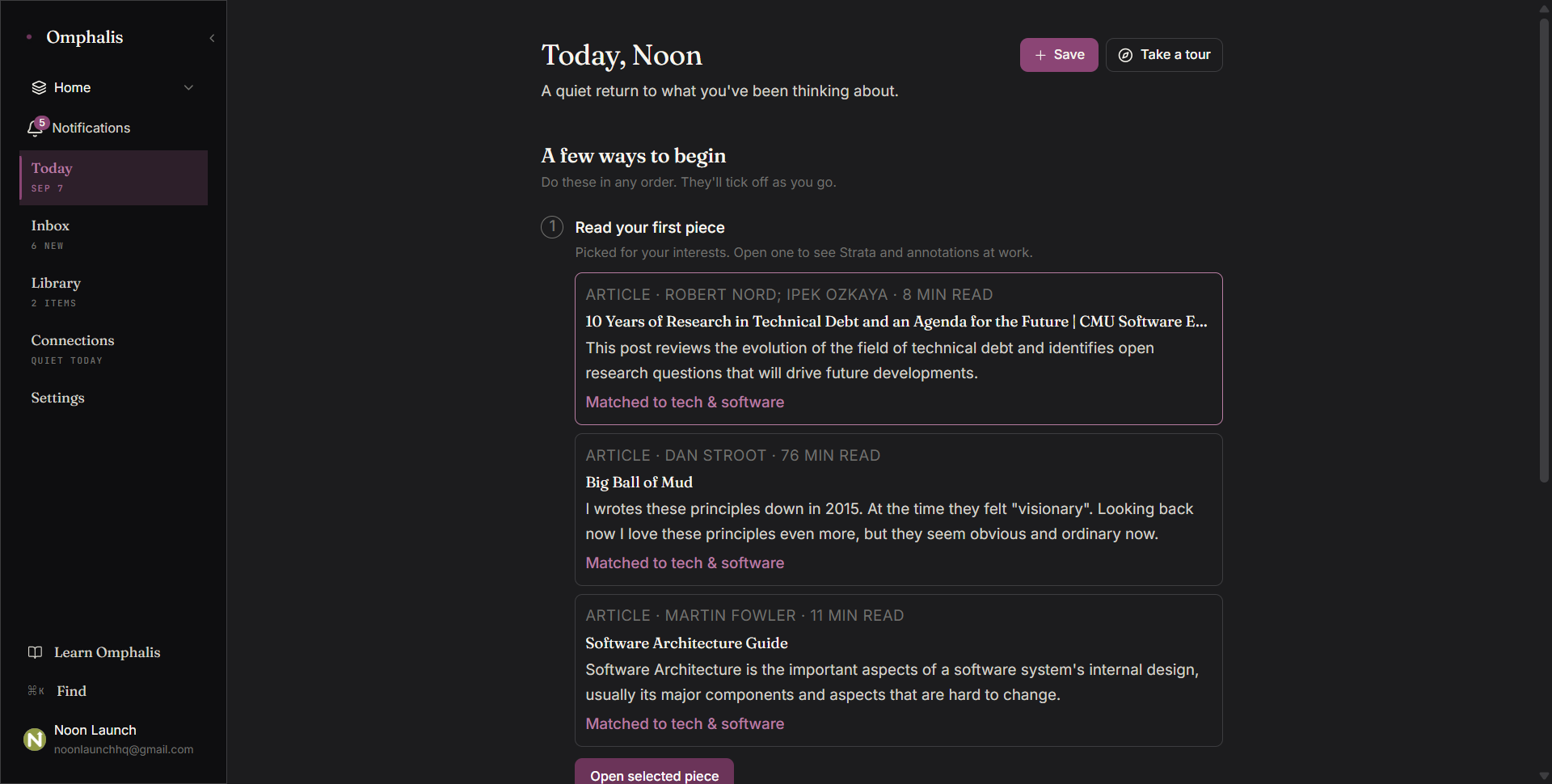
Setup is a short conversation, not a settings screen. Omphalis asks what brought you here, offering answers like build a research library, stay current in my field, or understand and retain more, then asks whether you follow any newsletters or podcasts, offers to take a link or a file, and picks a first piece for you to read.
The questions shape what it suggests rather than what the app looks like. Three steps, skippable, no credit card.
The home screen is a Today view with a short checklist, an Inbox for subscribed sources, the Library, and Connections. It is quiet, which sounds like a small thing and is not, given what most AI apps do to a first screen.
With two items saved, Connections read "quiet today". Nothing to connect yet. That is fair on day one, and it turns into a real problem later, which I get to below.
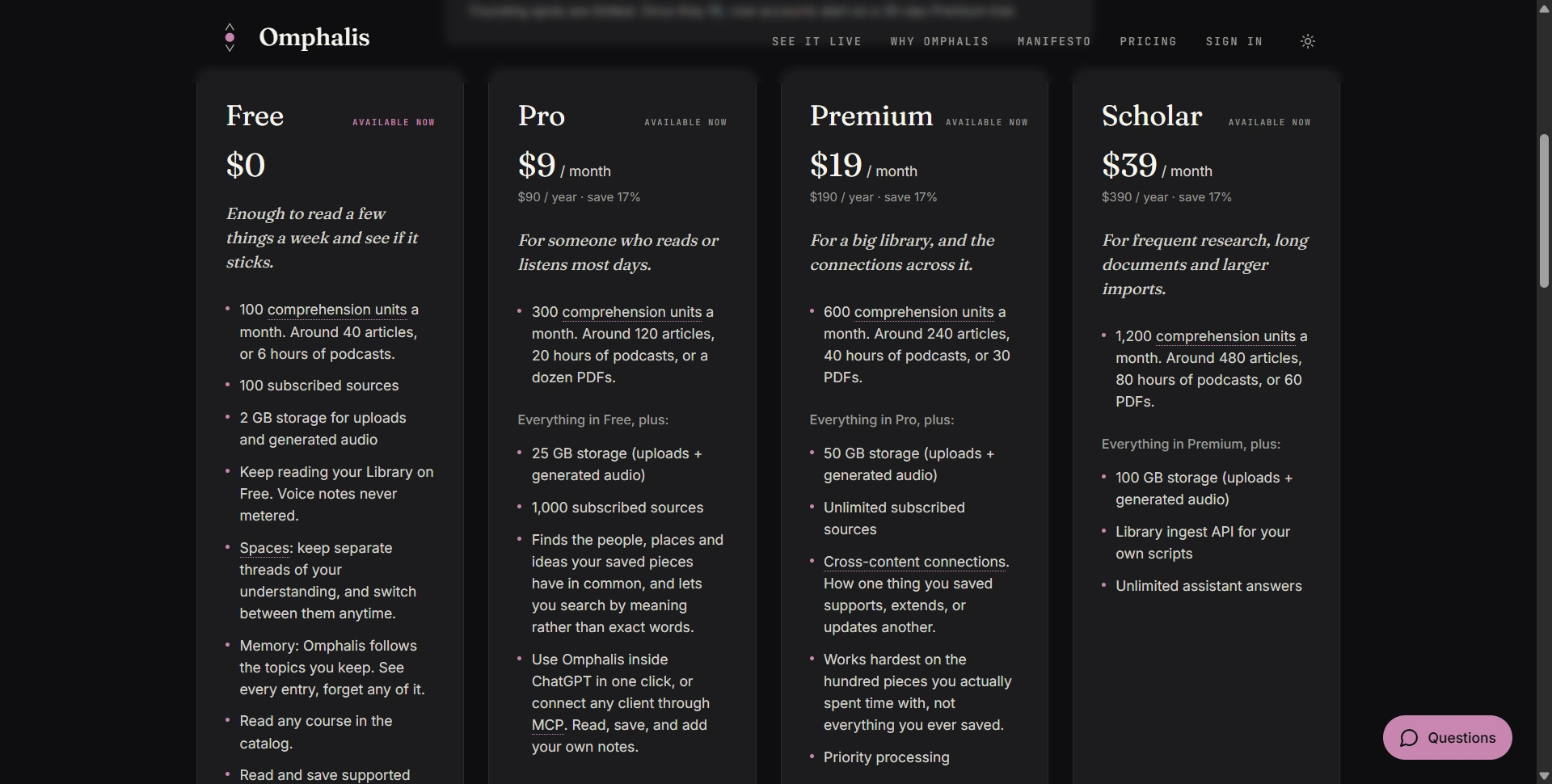
The live demo runs short clips of each step from the actual app if you want to look before making an account.
What does Omphalis cost in 2026?
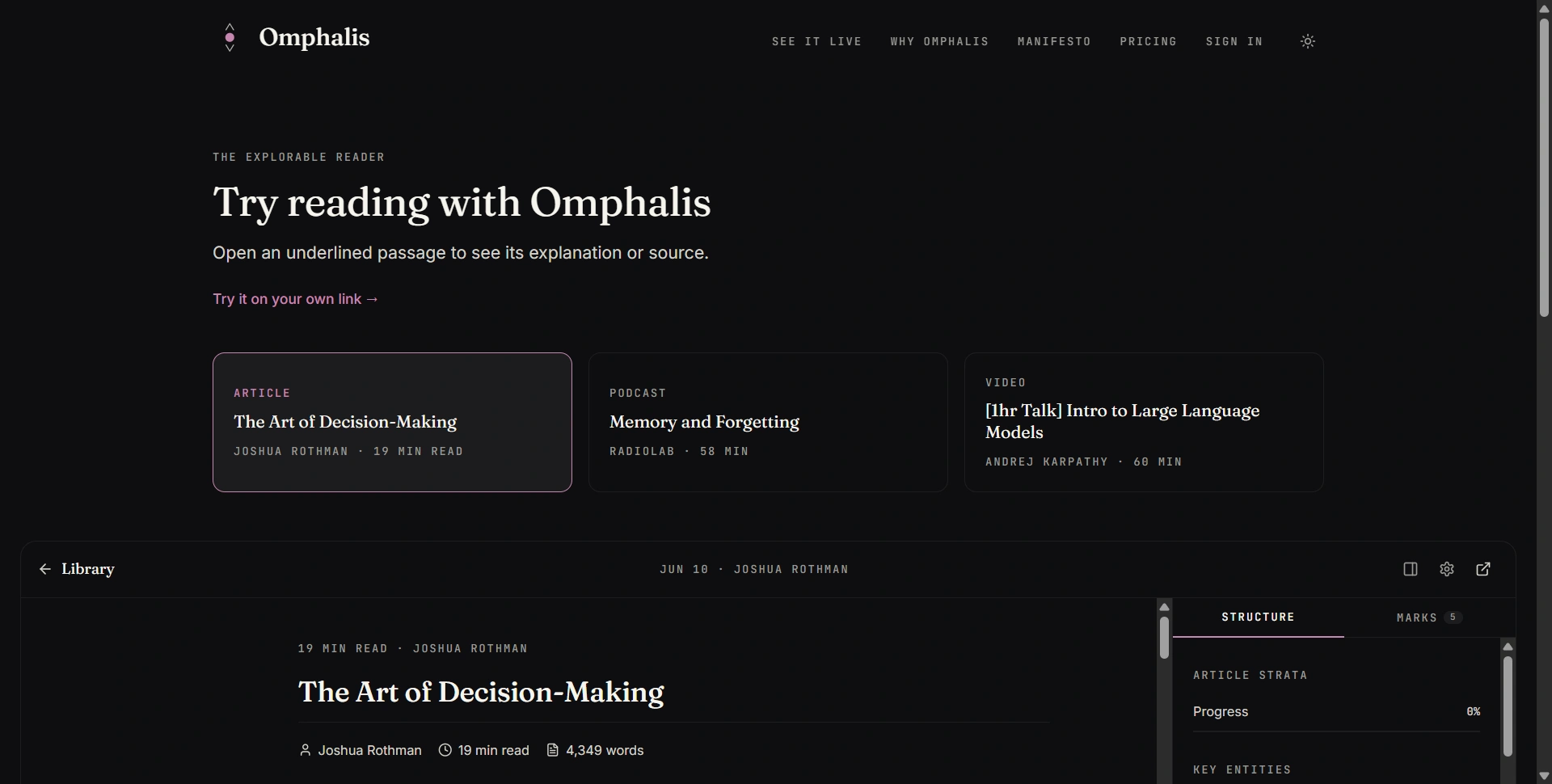
Omphalis runs four tiers: Free at $0, Pro at $9 a month, Premium at $19 and Scholar at $39. Annual billing saves 17%, so $90, $190 and $390. Every tier gets all platforms, offline downloads and data export. The meter is the comprehension unit, spent when the app processes a new source or generates narration.
Plan | Price | Units per month | In real terms | Storage | Notable addition |
|---|---|---|---|---|---|
Free | $0 | 100 | ~40 articles or 6 hours of podcasts | 2 GB | Spaces, Memory, read-only MCP |
Pro | $9 | 300 | ~120 articles, 20 hours of podcasts, or a dozen PDFs | 25 GB | Connections at light level, semantic search, richer MCP |
Premium | $19 | 600 | ~240 articles, 40 hours, or 30 PDFs | 50 GB | Full connections with claim-level detection, priority processing |
Scholar | $39 | 1,200 | ~480 articles, 80 hours, or 60 PDFs | 100 GB | Library ingest API, unlimited answers |
Three things the pricing page does that metered AI products usually do not. Re-reading a source you already saved costs nothing. Voice notes are never metered. And every format draws from one pool, so the article and podcast numbers above are alternatives rather than additions. A heavy month can be topped up from $10 for 200 units.
Divide the published conversions and you get the real unit price of each format, which is the number that decides your tier:
Format | Units it costs | Where the figure comes from |
|---|---|---|
One article | ~2.5 units | Consistent across all four plans |
One hour of podcast or video | ~15 units | 20 hours on Pro's 300 units, 40 on Premium's 600 |
One PDF | ~20 to 25 units | A dozen on Pro, 30 on Premium, 60 on Scholar |
Run that against a normal week before picking a plan. Five articles a day, Monday to Friday, is about 63 units a week, so roughly 250 a month, which already crowds Pro's 300. Add two hours of podcasts a week and you are near 370, which is a Premium month. So the tier decision comes down to volume rather than features: Pro already includes connections at light level, and Premium mostly buys headroom plus the heavier detection layer.
Worth knowing before you sign up: founding members currently get 90 days of full Premium with no card, plus early access and a direct line to the team. On day 90 the account drops to Free unless you pick a paid plan, and nothing you saved is deleted. Once founding spots run out, new accounts get 30 days of Premium.
Where did it fall short?
Four limits, and all four are about how the app works rather than how long the company has been around. The connection layer produces nothing until your library is large, narration and saving compete for one budget, extraction quality caps everything downstream, and none of it works if you skim.
Connections need a library you do not have yet. This is a volume problem, not a pricing one. Connections run at three levels: off on Free, light on Pro, full on Premium. Light already runs the entity and embedding detectors, where most item-to-item surfacing comes from, so $9 buys a working version; Premium adds claim-level extraction and mind-changer detection on top. Either way there is nothing to surface until a few hundred pieces are in and marked up. Omphalis says on its about page that connections get interesting past roughly a couple of hundred items, and calls that a working hypothesis rather than a measured finding. Whichever tier you are on, this is the part you cannot evaluate in month one.
Listening and saving spend the same money. Every format draws from one monthly pool, so Pro's 300 units is around 120 articles or 20 hours of podcasts, not both, and generated audio counts against storage too. If you read at a desk and listen on the commute, you are spending one budget twice. Top-ups exist, but that is a variable cost sitting on a subscription.
Extraction quality caps everything else. Structure, marks, explanations and paragraph citations all inherit whatever the clean-up step produces. My reading is industry reports, competitor teardowns and founder interviews, and the hard files are the ones designed rather than typeset: pull quotes mid-column, sidebars, charts where the caption carries the argument, two-column layouts. Those are exactly the PDFs where a pipeline either holds the reading order or scrambles it, and a scrambled source makes every feature above it useless. Same risk on a two-hour interview with heavy accents or crosstalk. Push one of each through before you commit to a year. It is a ten-minute test and it decides whether the rest of the app is worth anything to you.
Nothing works if you skim. The app will not read for you. Marks are yours to write, and Connections are assembled from marks you took the trouble to make. Skim, and you have a tidier article and nothing else. That is deliberate, and it means the likely point of failure is me, not the software.
Alternative | Where it still beats Omphalis |
|---|---|
NotebookLM | Free, and faster for one-off question answering over a fixed document set |
Readwise Reader | Mature highlight capture, spaced repetition, and a large integration ecosystem |
Obsidian or Notion | Ownership, plugins, and everything that happens after the reading is done |
Instapaper or Pocket-style apps | Simplicity, if all you want is a clean article queue |
On data, the Google Play safety declaration currently states no data collected and no data shared with third parties, and the privacy policy says you own what you put in. Both are developer-provided disclosures, and the same listing carried a stale figure about how sources are structured until Omphalis corrected it, so check anything that matters to you against the policy itself.
Wrap-up!
Omphalis solves a real problem: saved long-form content that goes unread and unremembered. The cleaning, the structure panel and the in-place explanations work on the first source you load, which is more than most AI reading tools manage. Citations point at paragraphs, marks belong to you, and nothing disappears when a trial ends.
Pay for the reading and the explanations, which work on the first source you load. Treat Connections and Memory as a bet on your own consistency, because they need a few hundred marked-up pieces before they return anything at any tier. Pro's light connections make that a $9 bet rather than a $19 one.
If you want to try it properly:
Take the founding offer while it lasts. Ninety days of Premium with no card beats testing on a metered free tier.
Start with the hardest thing in your backlog, not the easiest.
Use Learn more on the passages you would normally skim. That is the whole loop.
Write real notes on your marks. Connections are built from them.
Count your real week against the per-format costs above before you pick a tier.
Set up Spaces early if you research more than one subject.