 By
Avinash Vagh
ChiefAssist Review 2027: Shopify Executive Assistant
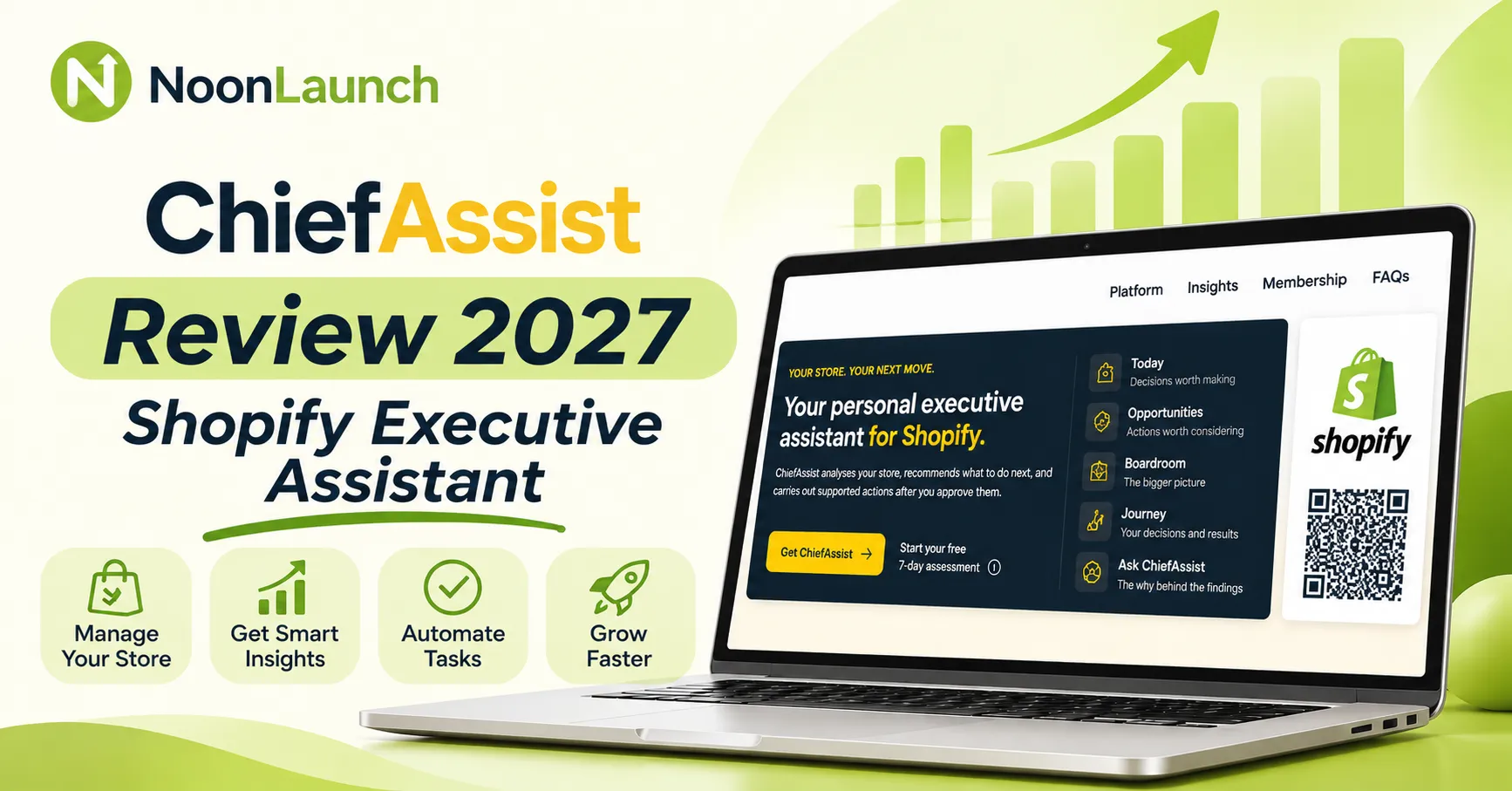
ChiefAssist is a personal executive assistant for Shopify store owners. It reviews your store across seven business areas, ranks the decisions worth making, shows a preview of each change, and carries out supported actions only after you approve. In our ChiefAssist review, it stands out as a decision tool for owners who have plenty of data but no clear next move.
Most Shopify owners do not lack reports. They lack time to turn those reports into decisions, and they rarely know whether last month's change actually worked. Below, we cover how ChiefAssist works, what it analyses, what it can change, what it costs and where it falls short.
What is ChiefAssist?
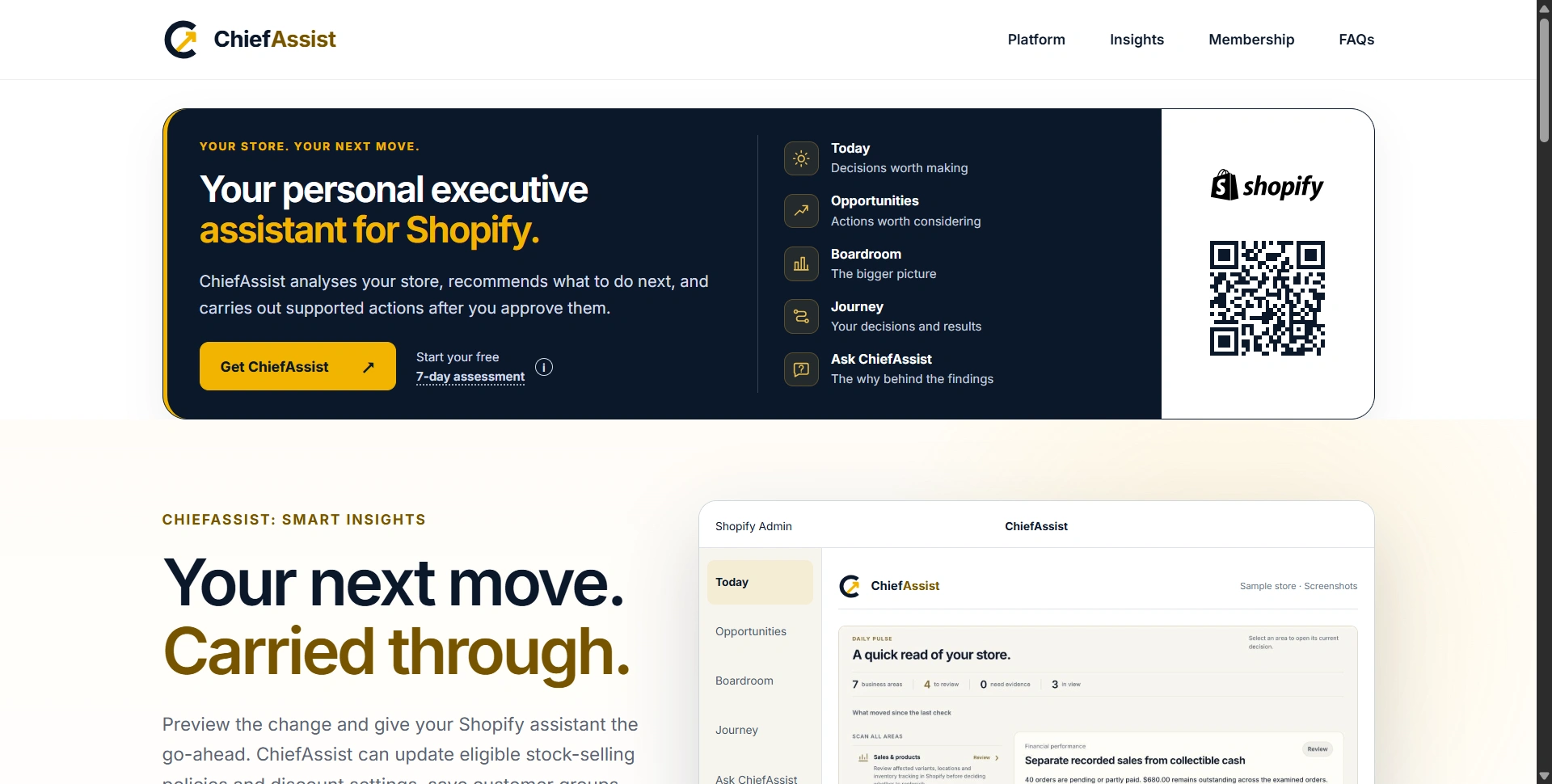
ChiefAssist is a Shopify app that acts like an executive assistant for the store owner. Instead of adding another analytics dashboard, it turns store evidence into a short list of next steps, explains the reasoning behind each one, and records every decision with its result. It runs inside Shopify Admin and is built for the verified store owner.
The product is organised around five modules, each answering one question an owner asks every week:
Module | What it answers |
|---|---|
Today | Which decisions are worth making right now? |
Opportunities | Which actions are worth considering next? |
Boardroom | How is the business doing overall? (an executive business review) |
Journey | What did I decide, what changed, and what happened after? |
Ask ChiefAssist | Why is ChiefAssist recommending this? |
That structure is the core idea. ChiefAssist is less about charts and more about the loop every owner needs: see the issue, decide, act, then check the result.
How does ChiefAssist work?
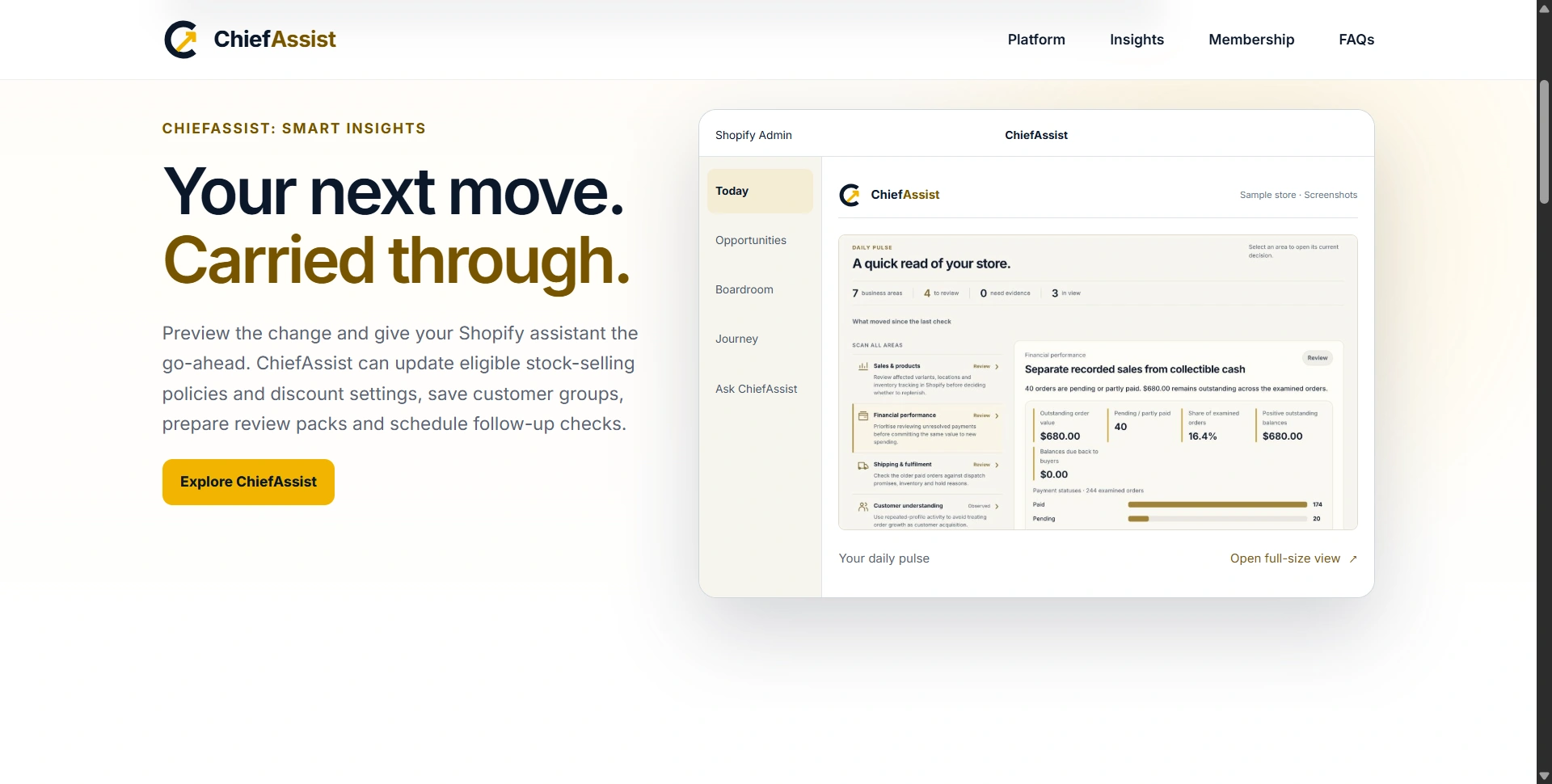
ChiefAssist works in three steps: Decision, Approval and Result. It surfaces a finding with the affected items, the proposed change and the expected benefit. You approve or choose your own alternative. Approved actions are carried out, and the outcome is recorded in Journey alongside later observations.
A typical finding reads like a briefing note, not a metric. For example, a Sales & products finding might flag "Protect stock you can't fulfil" when two product variants have no available stock but still allow overselling. The recommended action is to stop overselling on those variants, with the expected benefit of preventing further out-of-stock orders. You see exactly which variants are affected before anything changes.
Three design choices make the workflow trustworthy:
A recommendation alone never changes your store. Changes happen only for supported actions you choose and approve.
You can disagree. Follow the guided check, or record your own alternative and your reason. ChiefAssist can remember that alternative for similar reviews, but nothing is preselected or executed.
Gaps stay gaps. A missing or incomplete data source is shown as a gap, not as a zero or a proven improvement. Reported outcomes are kept separate from verified changes.
That last point matters more than it sounds. Many store tools quietly fill missing data and present a cleaner picture than reality. ChiefAssist would rather show you an honest gap than a flattering number.
What does ChiefAssist analyse?
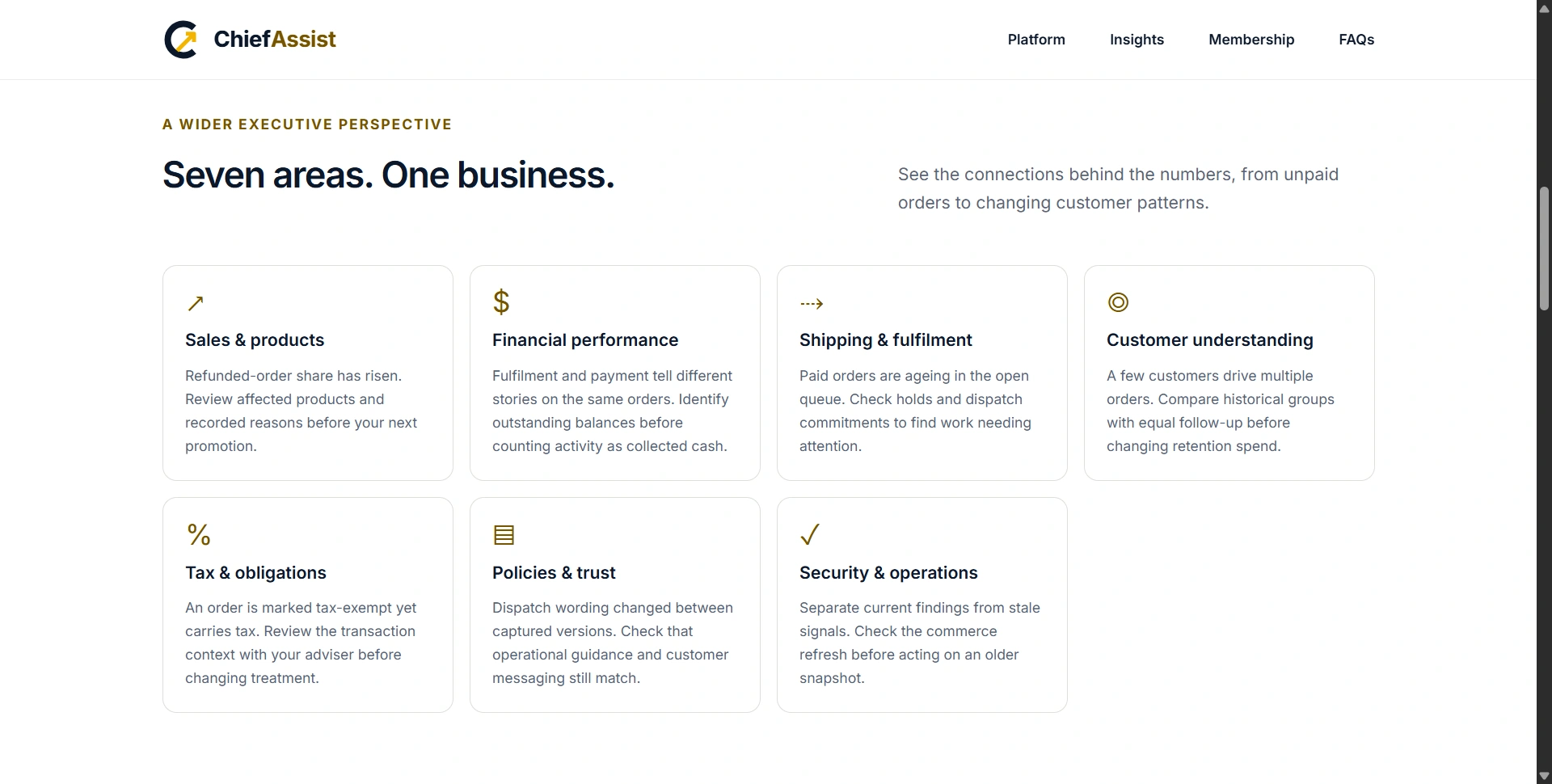
ChiefAssist analyses a Shopify store across seven business areas, from sales and stock to tax and security. Covering the whole business in one review is what separates it from single-purpose apps that watch only profit, inventory or marketing. Each area feeds findings into Today, Opportunities and the Boardroom review.
Area | What it covers for the owner |
|---|---|
Sales and products | What is selling, what is at risk, stock and variant issues |
Financial performance | How the business is performing financially |
Shipping and fulfilment | Delivery and fulfilment health |
Customer understanding | Who your customers are and how they buy |
Tax and obligations | Obligations an owner can easily overlook |
Policies and trust | Store policies that shape buyer confidence |
Security and operations | Operational and security housekeeping |
Comparisons over time build up as your store data grows. Your first eligible observation becomes a baseline, and comparisons appear once there is an earlier comparable observation and enough authorised data. Finding quality depends on your store data and the permissions you approve.
What can ChiefAssist change in your store?
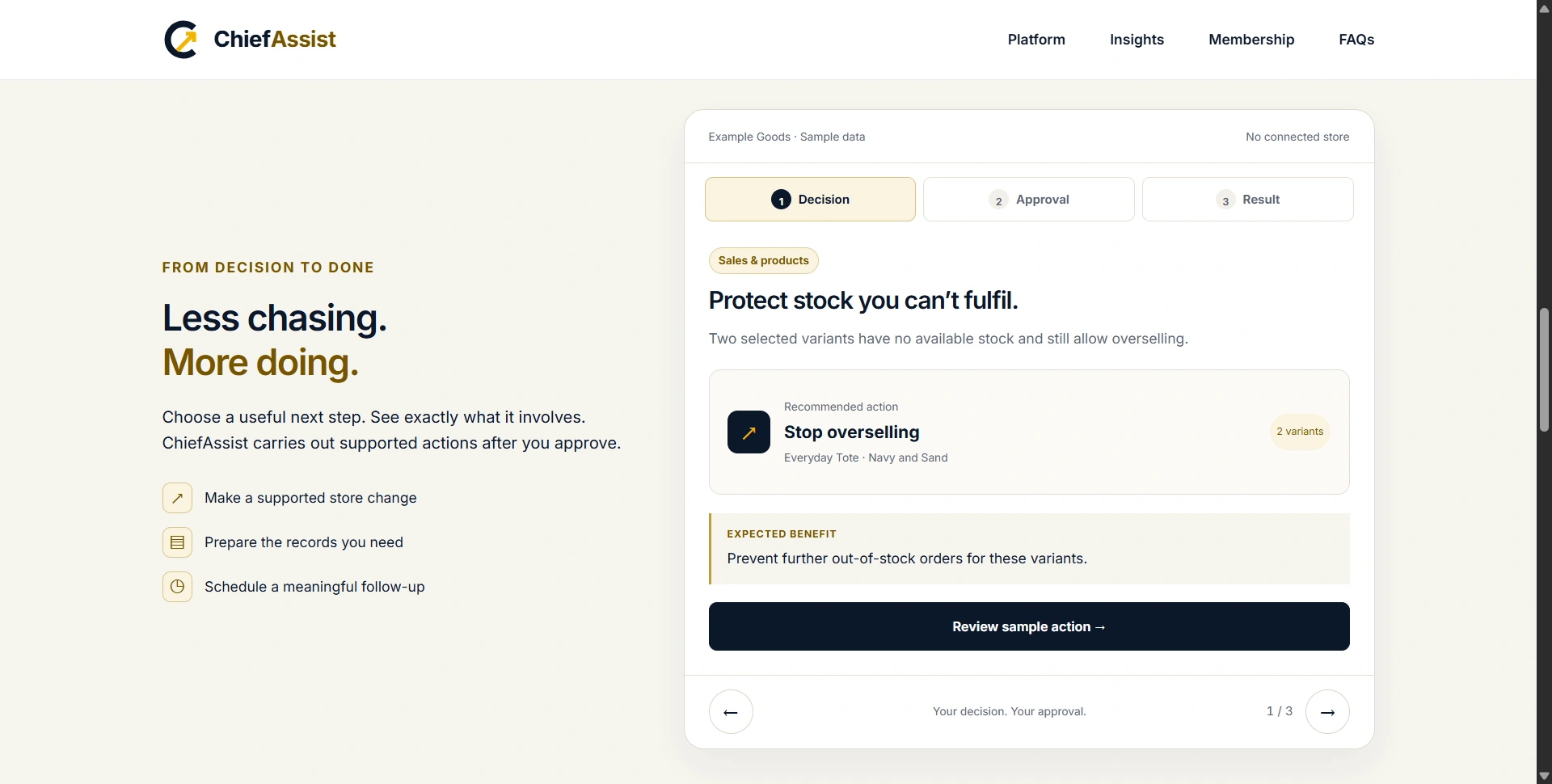
ChiefAssist can carry out a focused set of supported actions after you approve them: updating eligible stock-selling policies and discount settings, saving customer groups, preparing review packs and scheduling follow-up checks. Every action shows the affected items, the proposed change and the expected benefit before you confirm.
The action list is deliberately narrow. ChiefAssist is not trying to edit your theme, write your product copy or run campaigns. It focuses on operational decisions where a missed change costs real money, such as overselling stock you cannot ship or discount settings that leak margin.
Scheduled follow-up checks close the loop. After an action, ChiefAssist can come back to see what happened, and Journey keeps the recorded result and the follow-up together. Over a few months, that record becomes a history of what worked in your store and what did not.
Staying informed is low-effort. A notification bell surfaces relevant signals inside the app, and optional email reminders are available with your consent, kept separate from the in-app feed.
How does the 7-day Executive Assessment work?
The Free 7-Day Executive Assessment gives you full access to ChiefAssist for seven days at no cost. It starts when you first open ChiefAssist through Shopify, and it never converts to a paid subscription automatically. At the end, you review what ChiefAssist delivered and decide whether to continue.
During setup, you choose a priority and ChiefAssist begins importing evidence from your store. Findings develop as supporting evidence becomes available, so the first days build the picture and later days sharpen it. The app shows a recorded end date, and finishing setup or reinstalling does not restart or extend the assessment.
The no-auto-charge rule is a genuine differentiator. Many apps rely on forgotten trials converting into charges. With ChiefAssist, continuing is an active choice: a new subscription requires your approval of the final price, currency and taxes through Shopify. You can explore the product walkthrough before installing to see what the assessment covers.
How much does ChiefAssist cost?
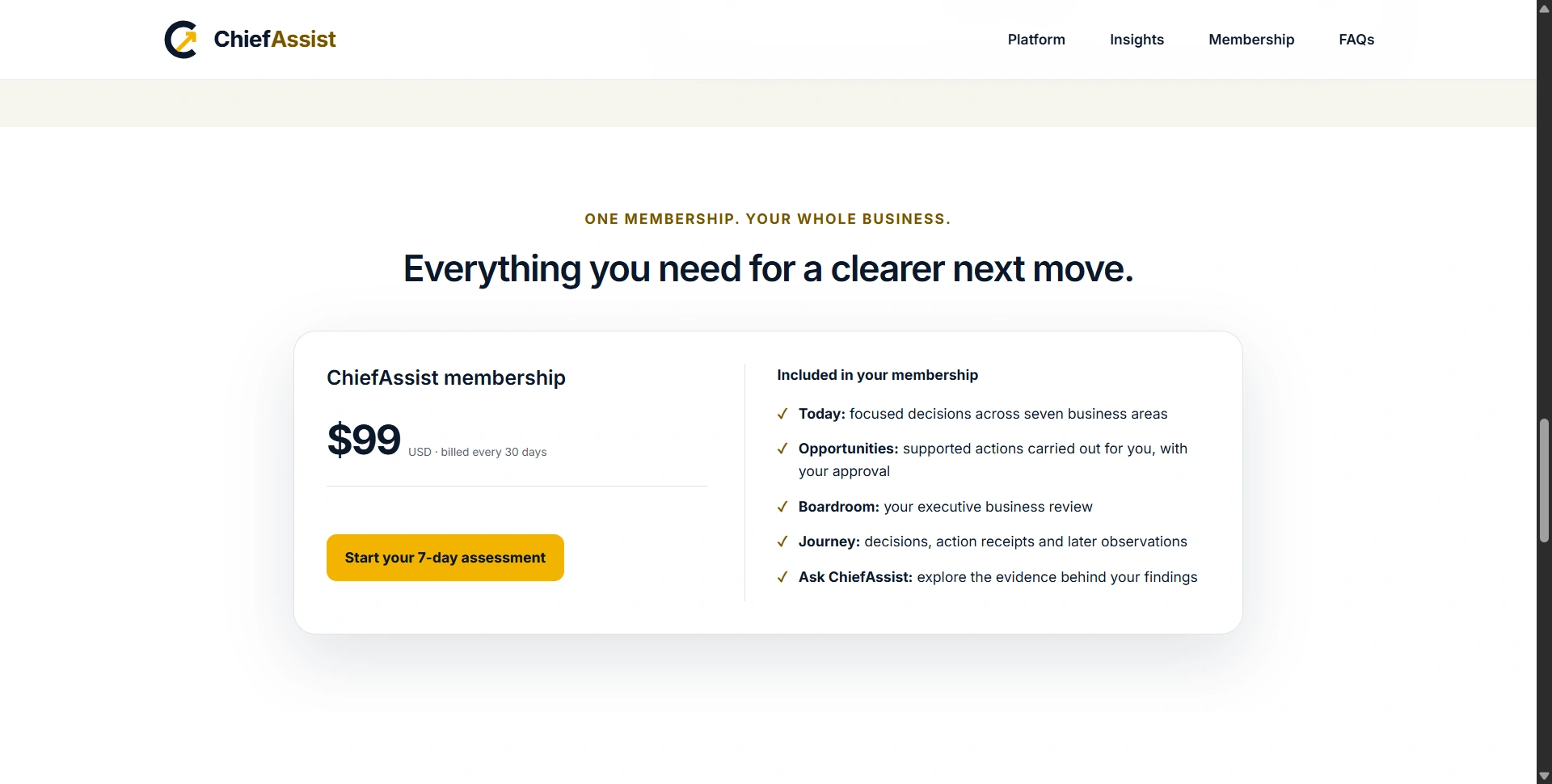
ChiefAssist costs US$99 per month after the free 7-day assessment, billed every 30 days through Shopify. There is one plan, and it includes every current feature. Shopify shows the final price, currency and taxes for approval before any charge.
Plan | Price | What you get |
|---|---|---|
7-Day Executive Assessment | Free | Full access for seven days; never auto-converts to paid |
ChiefAssist membership | US$99 per month | All current features, billed every 30 days until cancelled |
Managing the subscription is simple. Settings, then Membership, shows your subscription and Shopify's billing controls, and uninstalling ChiefAssist cancels its subscription. Shopify confirms the charge and cancellation timing.
Is $99 a month worth it? For an owner-operator, the maths is about avoided mistakes. One prevented wave of oversold orders, one discount setting that stops leaking margin, or one policy gap fixed before it becomes a chargeback can cover a month's fee. The assessment lets you judge that with your own store data before paying.
How is ChiefAssist different from Shopify Sidekick?
Shopify Sidekick is a free, general-purpose AI assistant built into Shopify Admin, while ChiefAssist is a paid, focused executive assistant. Sidekick helps with questions, content, store edits and apps. ChiefAssist runs a structured seven-area business review and keeps a record of every decision and what happened after it.
ChiefAssist | Shopify Sidekick | |
|---|---|---|
Price | US$99 per month after a free 7-day assessment | Included with Shopify plans |
Focus | Business decisions and approved actions | General help, content, store edits and apps |
Business review | Structured review across seven areas, plus Boardroom | On request or through proactive suggestions |
Decision record | Journey: decisions, action receipts, later observations | Not a core feature |
Changes | Supported actions only, after preview and approval | Wide range of tasks, after review |
Access | Verified store owner only | Staff based on admin permissions |
The two are not mutually exclusive. Many owners will keep Sidekick for everyday tasks and use ChiefAssist as the weekly decision layer on top.
Where does ChiefAssist fall short?
ChiefAssist has four functional limits: it is owner-only, it works with Shopify data only, its set of supported actions is focused rather than broad, and comparisons over time need history before they appear. None is a flaw in the core idea, but each shapes who gets the most value.
Owner-only access. Membership is for the verified store owner. Additional staff access is not included, so teams cannot share one workspace.
Shopify only. ChiefAssist installs through the Shopify App Store and analyses Shopify data. Sellers who also run Amazon, wholesale or other channels will not see those numbers in the same review.
Focused action set. Supported actions cover stock-selling policies, discounts, customer groups, review packs and follow-up checks. Other changes still happen in Shopify Admin or other apps.
History before comparisons. New stores, or stores with limited authorised data, will see baselines first and trends later.
Who should use ChiefAssist?
ChiefAssist suits Shopify owner-operators who run the business themselves, without a COO, analyst or finance hire, and want a calm, structured view of what to do next. It fits less well for teams, multi-channel sellers and owners who want fully hands-off automation.
Good fit | Look elsewhere if |
|---|---|
Owners running an established Shopify store without an ops or finance hire | Several staff need access to the same workspace |
Owners tired of switching between reports and apps | You need Amazon or wholesale data in one view |
Owners who want a record of what each decision achieved | You want changes made without approval |
Owners who value honest data over flattering dashboards | Your store is brand new with little order history |
Wrap-up
ChiefAssist is one of the most disciplined smart insights tools we have seen for Shopify owners. It reviews the whole business across seven areas, explains every recommendation, changes nothing without your approval, and keeps a receipt of each decision with what happened after. That combination turns scattered data into a weekly decision habit.
For owner-operators, the best way to judge it is with your own store. Start the free assessment, pick the priority that matters most, act on the first few findings, and check Journey before day seven. If those decisions saved stock, margin or time, $99 a month is easy to justify.
To try it, install ChiefAssist from the Shopify App Store and open it from Apps in Shopify Admin while signed in as the store owner. The assessment never turns into a paid plan unless you choose to continue.
Last updated: November 2026. Pricing, features and assessment terms are current as of November 2026.